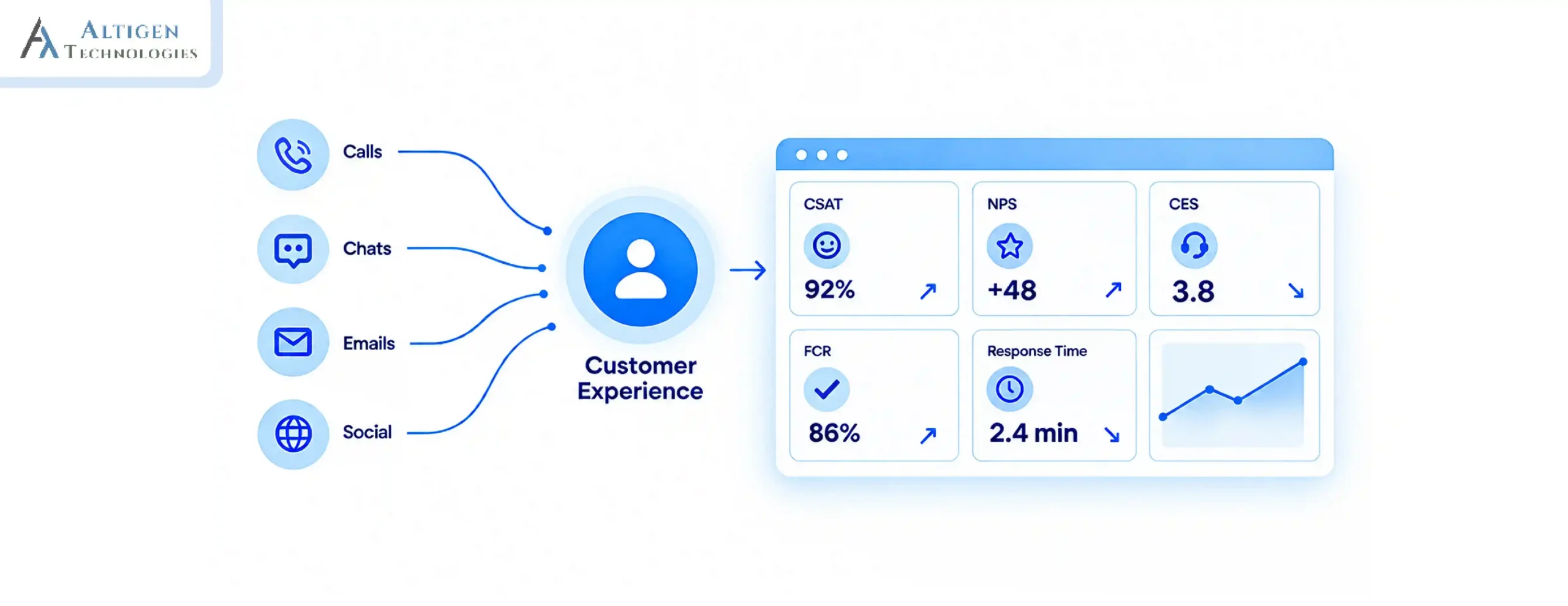
In September 2022, the SEC fined 16 Wall Street firms a combined $1.1 billion for failing to keep proper records of business communications. This shows why maintaining accurate records of customer communication is essential for every business, especially customer-facing interactions.
This challenge is common for financial institutions running their contact center on Microsoft Teams, where recording, compliance, and CRM tools often live in separate systems.
Financial institutions handle thousands of customer conversations every day, and without reliable call recording software, proving compliance during audits or resolving customer disputes becomes much more difficult.
This guide will help you choose call recording software for contact centers built for financial compliance.
| TL;DR – A Quick Takeaway Financial institutions need call recording software to comply with regulations such as SEC Rule 17a-4, FINRA, MiFID II, GDPR, and PCI DSS, not just to record customer conversations.The most important features to consider when choosing call recording software include secure storage and retention, search and access controls, and AI-powered monitoring. Each regulation has different requirements. For example, PCI DSS requires pause/resume recording during payment card entry, while SEC rules require long-term, non-alterable record retention. Integrations with CRM systems, Microsoft Teams, and quality management tools help organizations use recorded conversations for compliance, audits, and agent coaching. |
What are the must-have features in call recording software
The most important features you should look for in call recording software include automatic recording, compliance controls, encryption, advanced search, role-based access, AI transcription, and cloud scalability.
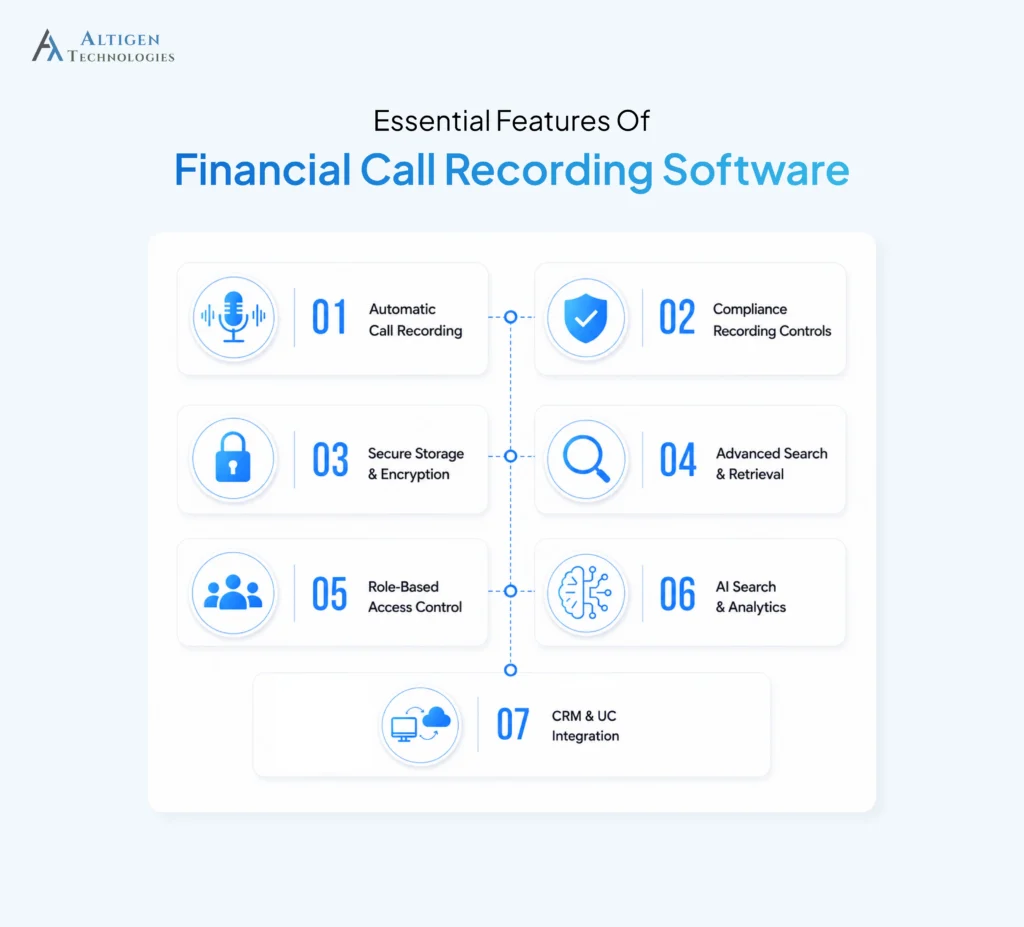
1. Automatic call recording
For financial institutions, every business call should be recorded by default and not turned on manually by an agent. Manual recording creates compliance gaps that regulators can flag, while automatic recording gives compliance teams a complete audit trail for reviews, dispute resolution, and regulatory investigations.
For example, during a FINRA audit, a firm was asked to produce every client call from a specific trading day. One agent had briefly forgotten to start the recording manually before automation was switched on. That single gap can create legal issues for the company. Automatic recording removes this risk by recording every call.
2. Compliance-based recording controls
Financial institutions handle sensitive customer information every day. This makes compliance controls an integral part of any call recording solution. Look for software that helps protect sensitive data while supporting industry and regional regulations without disrupting the customer experience.
- Pause/Resume recording: Stops recording during payment card entry to support PCI DSS compliance.
- Consent management: Plays recording notifications where customer consent is required.
For example, when a customer provides their payment card details over the phone, the system automatically pauses recording before the card number is spoken and resumes once the payment is complete. This prevents sensitive payment data from being stored in the recording and provides auditors with a clear audit trail that demonstrates PCI DSS compliance.
3. Secure storage and encryption
Call recordings sometimes contain sensitive customer information, including account numbers, personal details, and financial data. These recordings should be encrypted both in transit and at rest and stored in a tamper-proof environment to protect sensitive information. The software should also allow organizations to configure retention periods based on the specific requirements of regulations such as the SEC and FCA.
4. Advanced search and retrieval
Call recordings are useful if you can find them quickly. You should choose software with flexible search options that help compliance, legal, and support teams retrieve the right recording whenever it’s needed. Look for features such as:
- Search by date and time range
- Search by extension, agent, or customer ID
- Search by tags, labels, or flags
- Search by CRM-linked metadata
A customer disputes a renewal charge and claims they were never told about the fee. Instead of manually scrolling through days of call logs, the compliance team searches by the customer’s account ID and the date range in question. The exact call surfaces in seconds, with the fee disclosure clearly audible, closing the dispute before it escalates.
5. Role-based access control
Different teams require different levels of access to call recordings. Role-based access control ensures employees can only view recordings relevant to their responsibilities, reducing the risk of unauthorized access and supporting compliance. For example:
- HR: Access to recordings related to personnel investigations
- Compliance teams: Access across departments for audits and regulatory reviews
- Managers: Access limited to recordings from their own team
- Legal teams: Temporary access for litigation or regulatory inquiries
Defining these permissions significantly reduces the risk of unauthorized access.
6. AI transcription and speech analytics
This feature distinguishes modern call recording systems from legacy tools. Automatic transcription converts calls into searchable text, while keyword spotting identifies terms such as financial promises, complaint language, or restricted phrases. Sentiment analysis highlights calls that may need review, helping compliance teams identify potential risks and monitor far more calls than manual reviews allow.
These insights can also be used with call center analytics to identify recurring customer issues, monitor service quality, and uncover trends across customer conversations.
7. Cloud scalability
As call volume grows, storage should expand automatically instead of requiring a manual upgrade every time archives fill up. This is important for regulated retention. A company holding three to five years of recordings under SEC and FINRA rules accumulates a large, constantly growing archive, and cloud storage absorbs that growth without new servers or a forecasted hardware budget.
For instance, during a seasonal spike, such as a high volume trading week or a benefits enrollment period, call volume can jump well beyond a normal month. A cloud-based system absorbs that spike in real time, so recording quality and access speed stay consistent even when call volume triples for a short stretch.
Why financial institutions need call recording software
Financial institutions need call recording software to meet regulatory requirements, resolve customer disputes, investigate complaints, prevent fraud, train employees, and retrieve conversations quickly during audits.
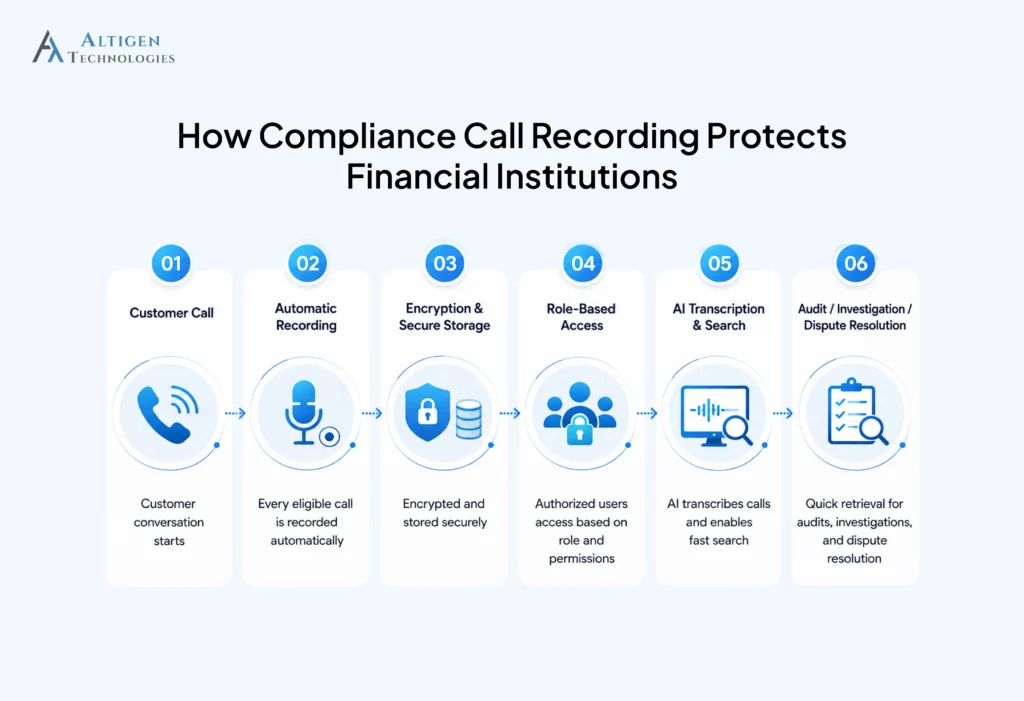
- Regulatory compliance: Financial institutions must comply with several regulations that govern how business calls are recorded, stored, and retained. Each regulation has its own requirements.
- SEC Rule 17a-4 requires broker-dealers to retain business communications for at least three years in a non-alterable format, while Investment Advisers Act Rule 204-2 requires five years for investment advisers.
- FINRA holds member firms to similar standards and has fined firms directly over failures to preserve business-related communications.
- MiFID II, applicable across the EU, requires firms to record calls related to client orders and transactions.
- GDPR governs how recorded personal data must be stored, accessed, and eventually deleted.
- PCI DSS restricts how payment card data can be captured or stored within a recorded call.
- Customer dispute resolution: A recorded call settles “he said, she said” disagreements about what was promised or agreed to.
- Internal investigations: Recordings give compliance and HR teams a factual record when a complaint or policy violation needs to be reviewed.
- Fraud prevention: When calls are recorded, it deters social engineering attempts and gives investigators evidence when fraudulent activity occurs.
- Employee training: Recorded customer calls provide real examples that help managers coach new agents more effectively than scripted scenarios.
- Audit readiness: When a regulator requests records, phone call recording software with fast retrieval turns a stressful request into a routine one.
Compliance call recording requirements by regulation
Different regulations place different requirements on call recording, data retention, encryption, and access controls. The table below compares the key requirements across major regulations, making it easier to understand which features are mandatory and recommended.
| Feature | PCI DSS | GDPR | SEC Rule 17a-4 / FINRA | MiFID II |
| Pause/resume during payment entry | Required | Recommended | Not specified | Not specified |
| Encrypted, tamper-proof storage | Required | Required | Required | Required |
| Multi-year, non-alterable retention | Not specified | Limited by data minimization rules | Required (3-5 years) | Required |
| Consent management and notifications | Not specified | Required | Not specified | Required |
| Role-based access control | Recommended | Required | Recommended | Recommended |
| Right to deletion/data minimization | Not specified | Required | Conflicts unless retention period has passed | Conflicts unless retention period has passed |
Common mistakes to avoid when selecting call recording software
Selecting the wrong call recording software can create compliance gaps, risk of penalties, and make it difficult to retrieve critical conversations. Here are the common mistakes you should avoid.
- The platform claims to be “compliance-ready” without specifying which regulations it supports.
- Finding a recording requires searching through multiple folders or manual records.
- Security features such as encryption and access controls are limited or unclear.
- Retention periods cannot be customized for different compliance requirements.
- Integrations with Microsoft Teams or CRM platforms require complex workarounds.
- AI transcription and speech analytics are unavailable or offered only as expensive add-ons.
- The platform doesn’t provide a complete audit trail of recording access.
Suggested Reading: How to Build AI-Powered Contact Center on Microsoft Teams
Final Takeaway
Every recorded customer conversation becomes evidence during an audit, investigation, or dispute. That’s why selecting software with strong security, AI-powered transcription, fast search, and controlled access is essential.
If your company uses Microsoft Teams, Altigen CoreEngage offers these capabilities together in a single contact center platform. This helps you manage customer conversations securely and comply with regulatory requirements. Contact Altigen to see how CoreEngage can simplify compliance-ready call recording.
Frequently asked questions
Call recording software is a digital tool that captures, stores, and manages audio recordings of phone conversations with added features like transcription, search, and compliance controls.
Retention requirements vary by regulation. SEC Rule 17a-4 requires broker-dealers to retain records for at least three years, while Investment Advisers Act Rule 204-2 requires five years for investment advisers.
Yes, cloud call recording software meets compliance requirements through encryption, tamper-proof storage, configurable retention policies, and other security controls that support regulatory standards.
The terms are often used interchangeably, though “call recording system” can also refer to the broader infrastructure, including storage and retrieval, while “call recording software” refers to the application layer that captures and manages the audio itself.
Financial services, healthcare, insurance, and any business that handles payment card data are among the industries most commonly required to comply with call recording and retention regulations.