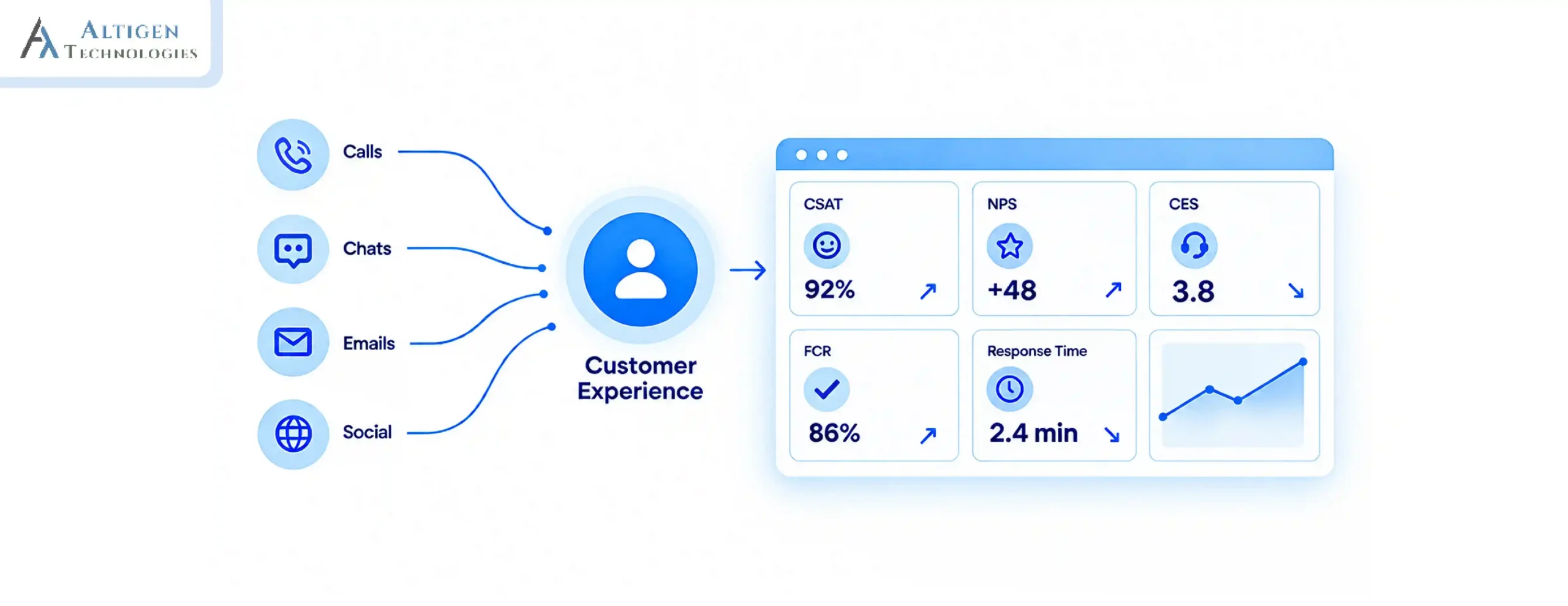
Traditional contact centers were built for a time when customer service had one phone number, one queue, and one channel. Today, customers expect instant response across voice, chat, email, and social media but most companies are behind.
That gap is expensive. According to AmplifAI’s 2026 Customer Service Statistics report, poor customer experiences put $3 trillion in global sales at risk in 2026.
So, what’s the answer? Is it simply adding more agents or multiple channels? It’s not, you need an AI contact center that handles routine interactions, routes complex ones to human agents, and gives them the context to resolve issues quickly.
Microsoft Teams is used by most enterprises for internal communication and provides a perfect platform for building a contact center. In this guide, we explain how to build an AI contact center on Teams and implement it in phases without disrupting existing operations.
| TL;DR – A Quick Takeaway Microsoft Teams provides a cost-effective foundation to build an AI-powered contact center with lower implementation costs, simpler integrations, and faster user adoption. A phased deployment strategy minimizes disruption, allowing businesses to implement AI capabilities while maintaining uninterrupted customer service. Ongoing monitoring and optimization improve results. Using operational metrics and conversation insights helps to enhance AI accuracy and agent productivity. Working with an experienced partner in building a contact center on Teams helps simplify implementation, integrations, compliance, and long-term scalability. |
Step-by-step guide to building AI contact center on microsoft teams
Building an AI contact center on Microsoft Teams becomes easier when you implement it in phases. Follow these five stages to plan, deploy, and optimize your contact center and minimize disruption to existing operations.

Phase 1. Audit and architecture decision
Before any configuration begins, map what you are starting from:
- Document all existing call flows, queue structures, IVR logic, and agent skill sets
- Identify every channel customers currently use: voice, chat, email, social messaging to plan your omnichannel contact center strategy
- List all third-party integrations in your current stack, like CRM, ticketing, ERP, and knowledge base
- Choose your integration model. For an AI contact center, the Extend model is recommended, it keeps Teams as the agent workspace while a CCaaS platform handles the AI and routing layer via Microsoft Graph API
- Shortlist Microsoft-certified CCaaS vendors or evaluate Dynamics 365 Contact Center and Teams integration
Suggested Reading: Guide to Choosing Teams Call Center Solutions
Phase 2. Foundation setup
Once you decide the architecture, you need to build the infrastructure layer. Configure Teams Phone with Direct Routing or Operator Connect if not already live. Direct routing allows you to connect your own SIP carrier; Operator Connect uses a Microsoft-approved carrier directly from the Teams admin center
- Provision the CCaaS platform and connect it to Teams via Microsoft Graph API
- Set up Microsoft Entra ID for SSO and agent identity management across Teams and the contact center platform
- Connect your CRM for screen pop and bi-directional data sync. Without CRM connectivity, every inbound interaction starts as a new contact and the agent knows nothing about the customer.
Phase 3. AI agent and routing configuration
This is the stage when you start building an intelligent contact center. You need to build the chatbot for the call center using Copilot Studio or your CCaaS vendor’s native AI agent tool. Start with your top five inbound call drivers. These can be account queries, order status, appointment booking, password resets, and FAQ resolution. Once the chatbot is live, configure these four things before moving to the next phase:
- Connect it to your live knowledge base and CRM for dynamic, accurate responses, not static FAQ answers
- Configure intelligent routing including intent classification, language detection, skills based mapping, customer tier priority
- Define escalation triggers: transfers must pass full context, including intent, data collected, and sentiment
- Set containment thresholds: the share of interactions the AI resolves without escalation, typically 30 to 70% depending on query type
Phase 4. Agent workspace and supervisor tools
Configure the interface agents and supervisors will use every day. Getting this layer right before the pilot determines how quickly agents adopt the system and how much visibility supervisors have to intervene when something goes wrong. End-to-end testing across every call flow, queue, and escalation path should be completed here.
- Agent console: queue visibility, CRM context panel, AI assist sidebar
- Supervisor dashboards: queue depth, agent availability, average handle time (AHT), service level agreement (SLA) adherence
- Compliance recording: Native Teams recording may not meet GDPR, HIPAA, MiFID II, or PCI DSS; use a certified third party tool with tamper proof storage and access controls
Phase 5. Pilot and optimization
By now the system is built, but launching it everywhere at once is not the right thing to do. You need to select one queue or one channel for the pilot, usually the highest-volume, lowest-complexity inbound queue. Once you do that, you can:
- Measure FCR, AHT, and CSAT against pre-implementation baselines from the audit phase, to benchmark what a well-implemented AI assist layer should deliver
- Use conversation analytics from the pilot to find deflection gaps, queries the AI agent escalates but could handle with more training or knowledge base coverage
- Expand channels and queue coverage progressively, only moving to the next phase once the current one is stable and meeting its targets
Why Microsoft Teams is the ideal platform for an AI contact center
Building an AI contact center on a Microsoft Teams is a preferred option over deploying a standalone contact center system that they have to learn from scratch. Here are the top reasons to choose Teams for a contact center solution.
1. Agents already use Teams
Microsoft Teams has 320 million daily active users, and 93% of Fortune 100 companies rely on it for communication. Using Teams for a contact center means every tool they need to serve a customer, internal chat, escalation to a subject matter expert, and file access exists in the same workspace. This eliminates switching between a contact center platform and a collaboration tool. This reduces the response time and improves efficiency.
2. Reduces integration complexity
A standalone contact center stack requires separate contracts and custom integrations for CRM, AI, telephony, and analytics. Companies building an intelligent contact center on Teams can connect to a native ecosystem that already works together:
- Dynamics 365 for CRM and case management, with pre-built contact center capabilities
- Azure AI for speech recognition, intent detection, sentiment analysis, and natural language processing
- Copilot Studio for building and deploying a chatbot for call center deflection without custom development
- Power Platform for workflow automation, reporting, and routing logic
- Microsoft Entra ID for identity management and SSO across all connected systems

3. Supports hybrid and distributed workforces
Today, agents work from home, from multiple office locations, and across time zones. Teams are location-agnostic by design, which means voice, chat, and supervisor tools operate identically whether an agent is on-site or remote, without additional infrastructure or VPN configuration.
Additionally, more than 80% of Teams meetings now include at least one remote participant. This reflects that distributed work has become normal for enterprise Teams users.
4. Existing Microsoft 365 license reduce entry cost
Companies already licensed for Microsoft 365 may already have Teams Phone, Copilot Studio, Power Automate, and Azure AI or available as add-ons within an existing Microsoft agreement. This reduces the cost compared to getting a new contact center solution and managing a tool.
How to monitor and optimize AI contact center performance
Once you deploy the AI contact center, you want to see how it is performing and refine strategies to ensure consistent performance growth. AI-assisted contact centers see a 14% increase in issues resolved per hour and a 9% reduction in AHT, but these numbers build over months of consistent optimization.
Here are the metrics you should track at three levels:
- Real-time (supervisors): Queue depth, agent availability, SLA adherence, and live sentiment flags to make decisions during an active operating period
- Daily (team leads): FCR by queue, AHT by agent and call type, CSAT from post-interaction surveys, and AI escalation rate for coaching and queue management
- Monthly (leadership): Deflection rate trend, cost per interaction, and AI recommendation usage rate to inform strategic investment decisions
Beyond standard reporting, use conversation analytics to find what dashboards cannot show:
- Topic clustering: Which issues are generating the most volume, and where is the AI agent falling short?
- Avoidable escalations: Which AI handoffs could have been resolved automatically with additional training data or a knowledge base update?
Feed these insights back into the system every month. Refine the AI agent’s scope, update the knowledge base, and adjust routing rules based on what the data shows to build an effective AI contact center.
Suggested Reading: How Contact Center Management Software Reduces AHT
Final takeaway
An AI contact center helps businesses modernize customer service, reduce response time, and save money. Building an AI contact center on Microsoft Teams requires careful planning and the right architecture. And for that, you need a partner who has done it before.
Altigen has helped over 3,000 businesses migrate to Teams Phone and build contact center operations that scale. From planning to post-launch optimization, our Microsoft-certified team helps you build the right AI contact center for your business requirements.
If you are looking to build an AI contact center on Team, schedule a call with Altigen today.

Frequently asked questions
Microsoft Teams provides a strong foundation with built-in voice, chat, and collaboration tools. Moreover, with Azure AI, Copilot Studio, and Dynamics 365, it allows businesses to build intelligent routing, AI agents, and automation without building infrastructure from scratch.
Yes, many AI contact center platforms support multilingual virtual agents, language detection, and intelligent routing to provide a consistent customer experience across global operations.
Yes, Teams contact center allows companies to retain existing phone numbers through number porting or Direct Routing. It minimizes disruption for customers and employees.
AI provides real-time guidance, suggested responses, conversation summaries, and knowledge recommendations, helping agents improve productivity and reduce dependence on supervisors.
Yes, cloud-based AI contact centers on Teams make it easy to add or remove users, adjust capacity, and support seasonal demand without investing in additional on-premises infrastructure.
The migration time varies based on business size, integrations, and complexity. Most organizations complete phased deployments over several weeks without disrupting customer service operations.