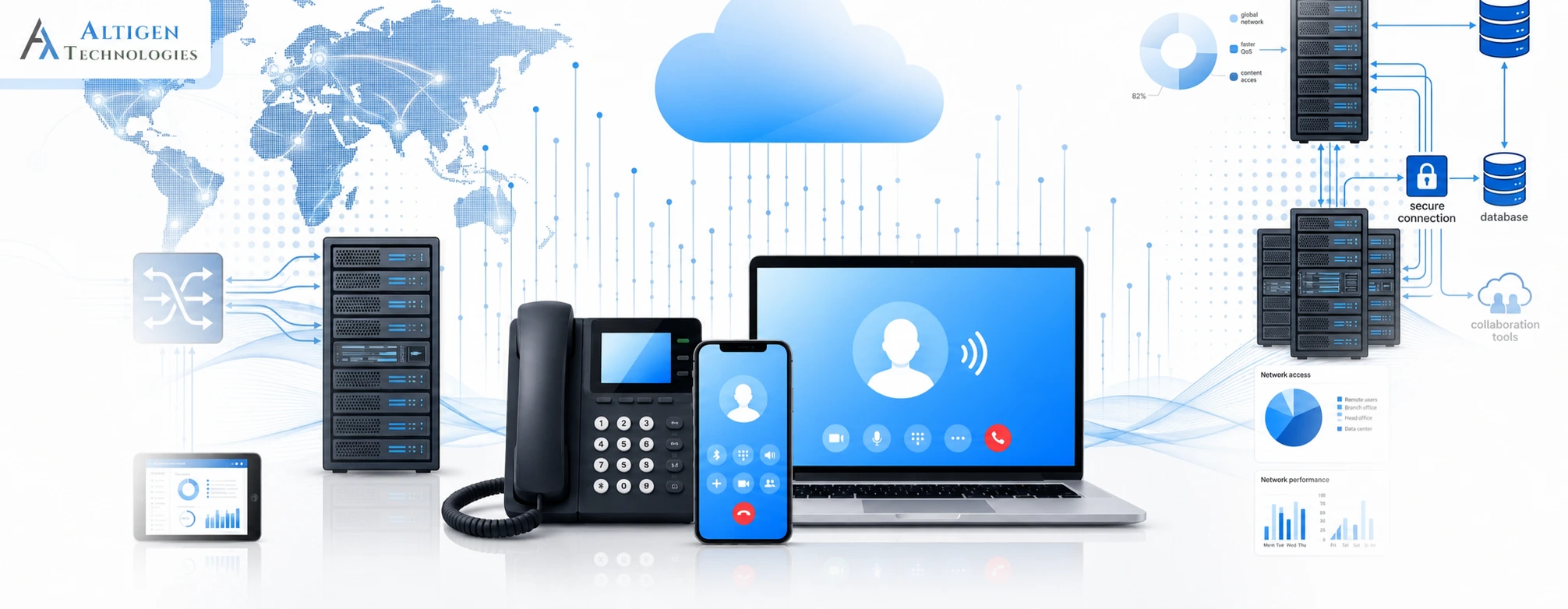
Business communication costs add up quickly when every new employee requires additional phone hardware, maintenance, and IT support. That is one reason organizations are shifting toward cloud-based phone systems. According to Fortune Business Insights, the global hosted PBX market is projected to grow from $11.95 billion in 2025 to $35.94 billion by 2032. This reflects strong demand for cloud-based phone systems.
But choosing a hosted PBX solution is challenging. Monthly pricing, included features, implementation costs, uptime, and support quality vary between vendors. Additionally, unexpected costs such as international calling or premium integrations can affect your budget. A lower-priced plan may exclude essential features, while a feature-rich plan can increase costs if your team doesn’t use those capabilities.
In this guide, you will learn how to compare hosted PBX providers, evaluate pricing and features, avoid common buying mistakes, and determine whether a cloud PBX solution is the right fit for your business.
| TL; DR: Quick Takeaways 1. Compare providers based on total cost of ownership, not just the monthly subscription. Setup, storage, number porting, and support fees can significantly increase long-term costs. 2. Choose features that match your team’s workflows today, then expand as your business grows instead of paying for capabilities that remain unused. 3. Test the platform with real users before signing a long-term contract to uncover usability, migration, and integration issues early. |
What is a hosted PBX solution and how does it work
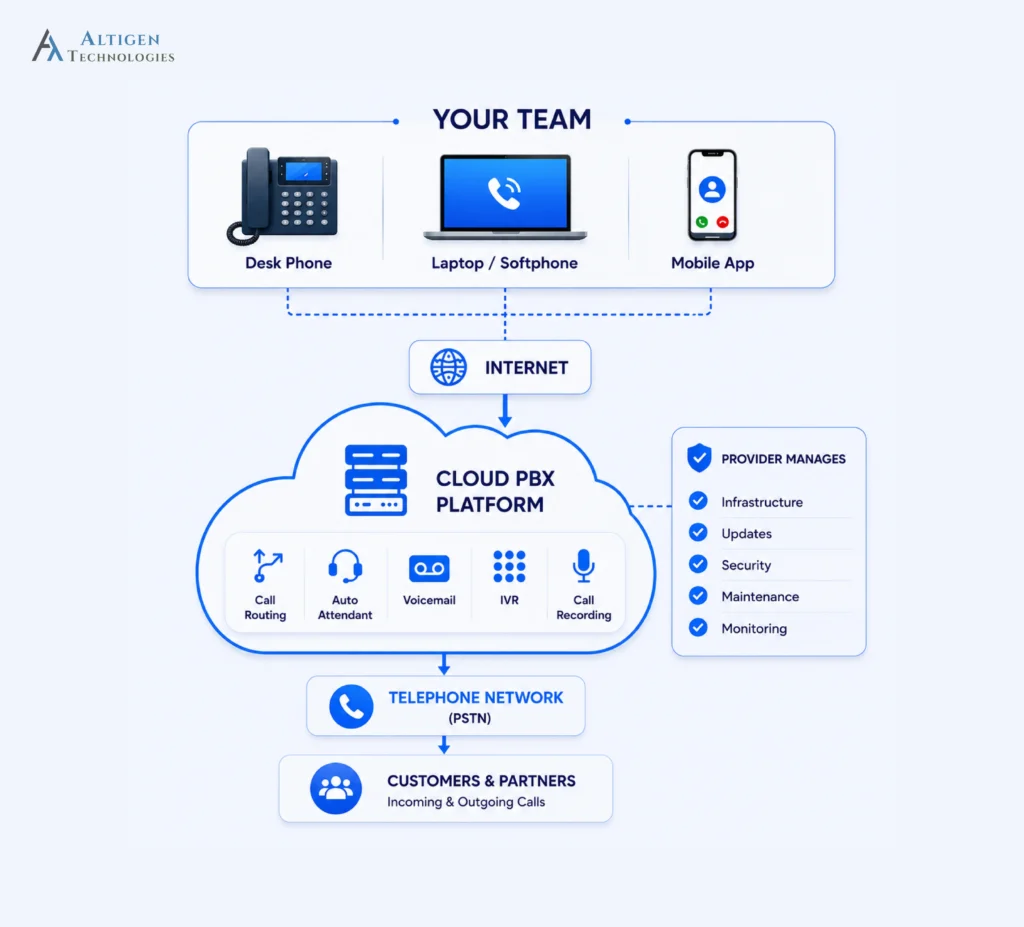
A hosted PBX solution is a business phone system that works over the internet rather than relying on on-site phone equipment. A service provider hosts and manages the system, so there’s no need to install or maintain phone hardware in your office.
It allows your employees to make and receive business calls using desk phones, laptops, or mobile apps from the office, home, or on the go.
How does hosted PBX work
When someone makes a call, the system securely connects the call over the internet and directs it based on the settings. For example, it can route calls to an extension, auto attendant, call queue, or voicemail. The call can be answered using a desk phone, laptop, or mobile app from virtually anywhere.
The system converts voice into digital data and transmits it over the internet, so call quality depends largely on the reliability and bandwidth of your internet connection.
Hosted PBX pricing: what does it actually cost
Hosted PBX pricing varies by provider, the number of users, and the features included. Understanding the pricing models makes it easier to compare plans and estimate your total cost.
Common pricing models:
- Per-user, per-month billing is the most common structure among providers
- Tiered plans (Basic, Pro, Enterprise), with more features added at each level
- Add-on pricing for extras like call recording, toll-free numbers, or extra storage
Realistic price ranges by tier:
| Tier | Price | What’s included |
| Basic | $10–$25 per user/month | Calling, voicemail, auto-attendant, call forwarding |
| Pro / mid-tier | $25–$40 per user/month | Adds call recording, analytics, CRM integrations, multi-level IVR |
| Enterprise | $40–$60+ per user/month | Adds advanced security controls, dedicated support, custom integrations, higher uptime guarantees |
Don’t compare providers based only on monthly pricing. Evaluate the total cost over the expected life of the contract. Onboarding, number porting, premium calling, call recording storage, support, and integration fees can change the overall investment. A provider with a slightly higher monthly subscription may cost less over time if these services are included.
Hidden costs you should consider:
- Call recording storage fees once you exceed a free allotment
- International calling rates that aren’t included in “unlimited” plans
- Number porting fees when moving your existing business number over
- Overage charges for going over included minutes or user seats
- Setup or onboarding fees some providers charge for larger teams
Traditional PBX vs. hosted PBX: total cost of ownership
| Cost Factor | Traditional PBX | Hosted PBX |
| Upfront hardware | $10,000 to $50,000+ depending on size | Minimal, just phones or headsets |
| Installation | Days to weeks, needs technicians | Hours to a few days |
| Maintenance | Ongoing IT staff or contractor costs | Included in subscription |
| Upgrades | Requires new hardware purchases | Automatic, included |
| Scaling up or down | Requires new equipment | Add or remove seats instantly |
Migrating to hosted PBX or UCaaS can cut communication costs by 50 to 75 percent compared to legacy phone setups. For a 20-person team, that’s often the difference between a five-figure annual phone bill and a predictable monthly line item.
Suggested Reading: Enterprise Communication Platform Evaluation: UCaaS vs. On-Premises PBX
Key features of hosted PBX solutions
When evaluating cloud PBX solutions, look for features that support your business goals and daily communication needs.
Essential features (every plan should have these):
- Call forwarding and call transfer
- Auto-attendant for routing incoming calls
- Voicemail, often with voicemail-to-email
- Call queues for handling multiple incoming calls
Advanced features (worth paying more for as you scale):
- Call recording for training and compliance
- Real-time analytics and reporting dashboards
- Interactive Voice Response (IVR) with multiple menu levels
- CRM integrations (Salesforce, HubSpot, Zoho, and similar tools)
AI-powered features (the newest layer, and increasingly standard):
- Automatic call transcription
- Sentiment analysis to flag frustrated callers
- AI-generated call summaries and follow-up notes
- Smart call routing based on caller history or intent
Every business may not need every feature. The right plan depends on your business requirements. For example, an outbound sales team may need power dialing, local presence dialing, and voicemail drop, while a customer support team needs features like call queues, IVR, skills-based routing, analytics, and AI-generated summaries.
Benefits of hosted PBX for growing businesses
Lower total costs
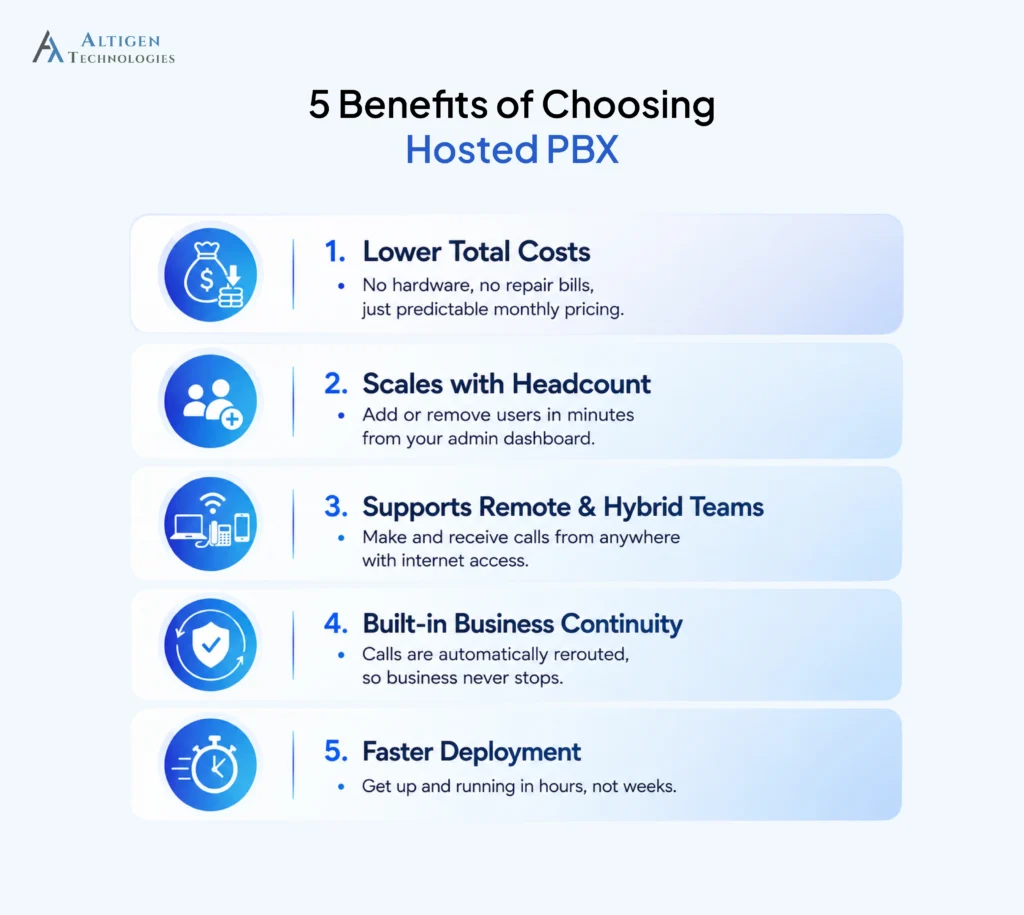
Skipping on-site hardware, dedicated phone technicians, and repair bills turns your phone system into a fixed line item instead of an unpredictable expense. According to a Tech co report, a business running 30 phones saved roughly $1,200 a month after switching to VoIP. For growing businesses, those monthly savings can significantly reduce operating costs.
Scales with headcount
A hosted PBX solution grows with your business. New users can be added in minutes, while unused licenses can be removed when staffing changes. This allows businesses to avoid paying for hardware and phone lines they no longer need.
Supports remote and hybrid teams
With a cloud-based phone system, employees can take calls from a laptop or mobile app anywhere with an internet connection, so someone working from home has the same calling features as a colleague sitting at a desk in the office. According to a Zoom report, remote and hybrid work have become the new normal.
Built-in business continuity
If your office loses power or internet, cloud PBX providers can reroute calls automatically to mobile devices or another location, so customers still get through. This isn’t a minor convenience. Downtime can cost small and mid-sized businesses anywhere from $8,000 to $74,000 per hour.
Faster deployment
Most providers can have your phone system up and running within a day, sometimes within a few hours, compared to the weeks a traditional PBX installation usually takes once you account for hardware delivery, wiring, and configuration.
Key factors to consider when choosing a hosted PBX provider
Before selecting a cloud PBX provider, review these factors to ensure the solution fits your business needs.
| Evaluation area | What to look for | Red Flag |
| Pricing | Quote includes onboarding, storage, porting, and support costs | Several essential features are billed as add-ons after the initial quote |
| Uptime | A published SLA (99.9% or higher), redundancy measures, and service credits for extended outages. | No published SLA or vague availability guarantees |
| Feature fit | A feature list that matches what your team actually uses day to day | Feature lists that look impressive in a demo but your team’s won’t use them |
| Support | 24/7 technical support with documented response SLAs, and multiple support channels. | Limited support hours or only email support |
| Trial | Pilot with your own users and numbers | Only a product demo with no hands-on testing |
| Integrations | Native integrations with your CRM and collaboration tools | Requires third-party connectors for common business applications |
| Security & compliance | Encryption, access controls, and certifications relevant to your industry (e.g., HIPAA, GDPR, SOC 2) | No documented security certifications or compliance information |
4 mistakes when buying hosted PBX that cost businesses money
Choosing the wrong cloud phone system can lead to higher costs, poor user adoption, and expensive migrations later.
1. Paying for features your team won’t use
Many businesses pay for AI tools, advanced analytics, or complex IVR capabilities they rarely use. Start with the features your team needs today, then upgrade as your business grows.
According to the 2026 Zylo SaaS Management Index, organizations leave an average of 36% of SaaS licenses underutilized, highlighting the importance of choosing a plan that matches your current business needs.
2. Signing a long-term contract before testing
A product demo doesn’t reflect how well employees adopt the system. Run a pilot with your own users and workflows before committing to a multi-year agreement.
3. Ignoring migration time
Moving existing business numbers can take days or even weeks, depending on your carrier. Confirm the migration process and expected timeline to avoid disruptions during the switch.
4. Ignoring future scalability
A platform that works for 20 users may not support multiple locations, international offices, or advanced administration as your business expands. Switching providers later can require another migration, user training, and additional costs. Check whether the provider can support your growth plan.
Is hosted PBX right for your business
Hosted PBX is a good fit if your business:
- Run a small to mid-sized team that’s growing or hiring seasonally
- Have employees working remotely or across multiple locations
- Want predictable monthly costs instead of a large upfront hardware spend
- Don’t have a dedicated IT team to manage phone infrastructure
A traditional PBX may be a better fit if you:
- Run a very large enterprise needing deep, custom-built telephony infrastructure
- Operate in an area with unreliable internet where call quality would suffer
- Require extremely specific compliance setups that off-the-shelf providers don’t support
For most small and mid-sized businesses, cloud PBX provides the right balance of cost, flexibility, and features without the complexity of managing hardware.
Final takeaway
A hosted PBX solution gives growing businesses the flexibility to scale without investing in expensive on-premises hardware. The right provider should fit your current needs, support future growth, and offer transparent pricing with reliable support.
If you’re looking for a cloud-based business phone system that’s easy to deploy and manage, Altigen MaxCloud UC is designed to meet those needs. It is designed to support businesses of all sizes with enterprise-grade voice, collaboration, and mobility features at competitive pricing.
Contact us to see how Altigen MaxCloud UC can simplify your business communications with a solution tailored to your requirements.
Frequently asked questions
VoIP is the underlying technology that carries calls over the internet. Hosted PBX is a complete phone system built on VoIP, including call routing, voicemail, and management features, all hosted by a provider.
Most providers charge between $10 and $60 per user per month, depending on the plan tier and features included. Basic plans cover core calling features, while higher tiers add analytics, CRM integrations, and AI tools.
Reputable providers like Altigen MaxCloud use call encryption, access controls, and compliance certifications like SOC 2 where relevant. Security depends on the specific provider, so it’s worth confirming their certifications before signing up.
Yes, most hosted PBX providers support number porting, though it can take anywhere from a few days to a couple of weeks and sometimes carries a small fee.
A stable connection with at least 100 kbps per user is generally recommended, though more bandwidth helps if multiple people are on calls at the same time.
Yes, in many cases. Most hosted PBX providers support SIP-compatible IP phones, allowing you to reuse existing hardware. If your phones aren’t compatible, the provider can recommend supported devices or replacement options.
Deployment usually takes anywhere from a few hours to a few days, depending on the number of users, phone number porting, device configuration, and any CRM or business application integrations required.