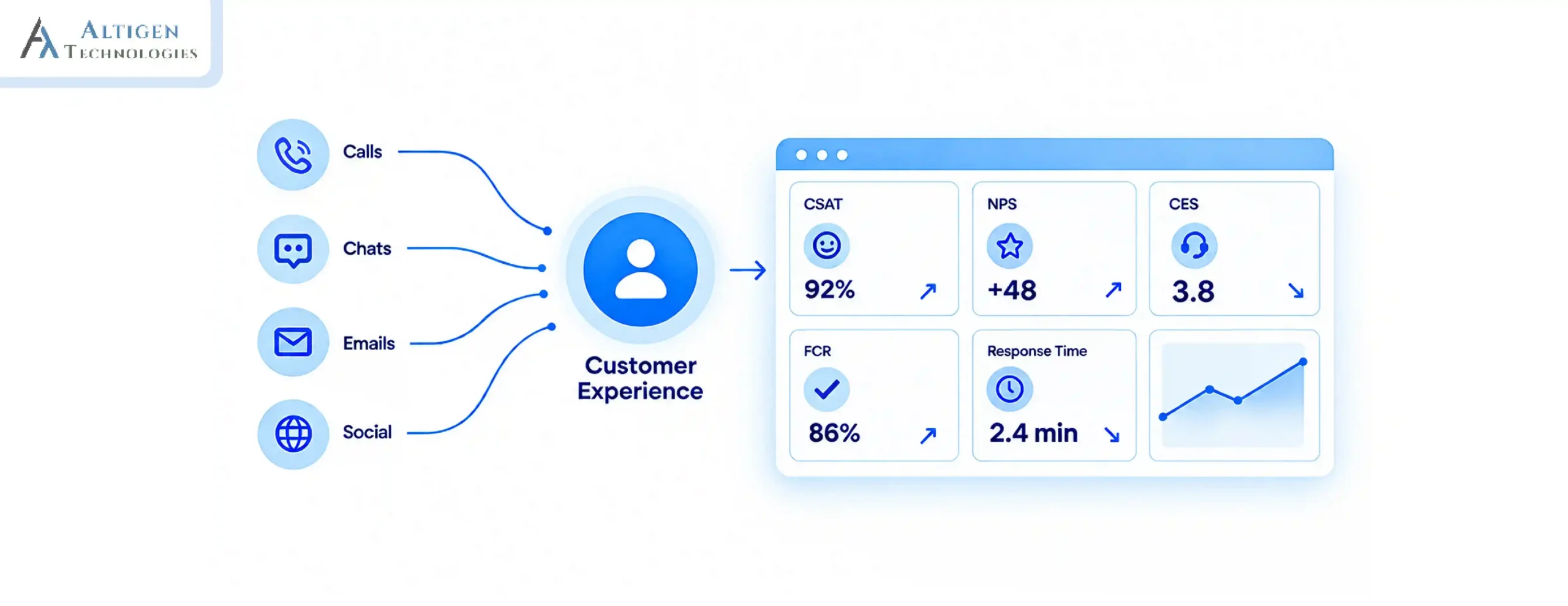
39% of consumers switch to a competitor because they can’t reach the brand on their preferred channel. This is one of the key reasons for churn (Verint). As a result, mid-market companies are replacing PBX systems with modern contact center solutions. But what is the difference between the two phone systems? Let’s find out.
| TL;DR – The 30 Seconds Summary The Problem: Traditional PBX systems offer voice calls only and can’t support communication over chat, email, SMS, and social media. The Insight: Mid-market companies are replacing PBX systems because they struggle with remote support, scalability, analytics, and omnichannel customer experience. The Fix: Modern contact center solutions offer voice, messaging, AI-powered support, analytics, CRM integrations, and cloud scalability in one platform. Keep reading to: Understand the difference between PBX and contact center software, and learn how to migrate smoothly. |
The PBX (Private Branch Exchange) phone system was built for an era when agents sat in one office, and customers used to contact businesses only by phone. But do these voice-only phones fit today’s business demands?
These systems only support voice call, no native chat, email, SMS, or social media channel support. Moreover, the upfront costs for a comprehensive on-premises PBX setup range from $500 to $1,000 per user, excluding annual maintenance, upgrades, and the IT overhead required to keep it running.
Modern contact center solutions address this, offering omnichannel support, cloud scalability, and AI-powered capabilities at a much lower cost. However, understanding the complete difference between the two helps mid-market companies make the right call.
What Is a Traditional PBX Phone System and Why Mid-Market Companies Are Replacing It
Contact center software is a platform built specifically for managing customer interactions across every channel — voice, email, live chat, SMS, and social, from a single unified agent desktop.
It’s not just a business phone system with extra features. The architecture is fundamentally different. A PBX mainly routes calls. Contact center software goes much further by managing conversations, tracking customer context, measuring performance, and using AI to improve support operations. Here is a quick comparison.
- No remote agent support: Hardware-bound systems require VPN workarounds or physical handsets
- Voice only: No native chat, email, SMS, or social media channel support
- Zero analytics: Basic call logs don’t tell you resolution rates, wait times, or agent performance
- Rigid scalability: Adding agents or new locations means hardware procurement and installation lead times
- High IT dependency: Even simple configuration changes require technical intervention
What Is Contact Center Software and How Is It Different from PBX?
Contact center software is a platform built specifically for managing customer interactions across every channel, voice, email, live chat, SMS, and social from a single unified agent desktop.
It’s not just a business phone system with extra features. The architecture is fundamentally different. A PBX mainly routes calls. Contact center software goes much further by managing conversations, tracking customer context, measuring performance, and using AI to improve support operations. Here is a quick comparison.
| Aspects | Traditional PBX | Contact Center Software |
| Channels supported | Voice only | Voice, email, chat, SMS, social |
| Deployment | On-premises hardware | Cloud-native (CCaaS) |
| Analytics | Basic call logs | Real-time dashboards + AI insights |
| Remote agents | Limited / VPN-dependent | Fully supported, any device |
| AI Capability | None | Agent assist, routing, quality scoring |
| Scalability | Hardware-bound | Add seats in days |
| Cost model | High capex + maintenance | Per-seat subscription |
According to GrandView Research, the global contact center as a service (CCaaS) market is expected to reach USD 17.12 billion by 2030, growing at 20.3% CAGR between 2025 and 2030.
Contact Center vs. PBX: Cost and Total Cost of Ownership
A traditional PBX system usually has higher upfront and maintenance costs, while cloud contact center solutions offer predictable subscription pricing with lower infrastructure expenses.
PBX vs. Contact Center Cost Comparison
| Cost Factor | Traditional PBX System | Cloud Contact Center Solution |
| Initial investment | High upfront cost for servers, handsets, wiring, and installation | Low upfront cost with subscription pricing |
| Hardware requirements | Requires on-site PBX hardware and phone infrastructure | Minimal hardware; works through browsers, apps, or existing devices |
| Maintenance costs | Requires IT teams or external vendors for updates and troubleshooting | Vendor-managed updates, security patches, and maintenance |
| Scalability costs | Adding users often requires new hardware, licenses, and installation | Add or remove users through flexible subscription plans |
| Upgrade costs | Major upgrades may require hardware replacement | New features are usually included through cloud updates |
| Remote work support | Requires VPNs, additional setup, and workarounds | Built for remote and hybrid agents |
| Integration costs | Additional tools may be needed for CRM and analytics | Built-in integrations with CRM, helpdesk, and business systems |
The total cost of a PBX includes hardware, maintenance, upgrades, IT resources, and expansion costs. A cloud contact center reduces these expenses by combining communication, analytics, automation, and customer management tools into one platform.
For mid-market companies handling customer interactions, contact center solutions provide better long-term value by reducing infrastructure costs and improving operational efficiency.
What Contact Center Solutions Can Do That PBX Systems Cannot
Modern contact center software, like AltiGen’s MaxCloud, offers a host of benefits that are missing in PBX phones.
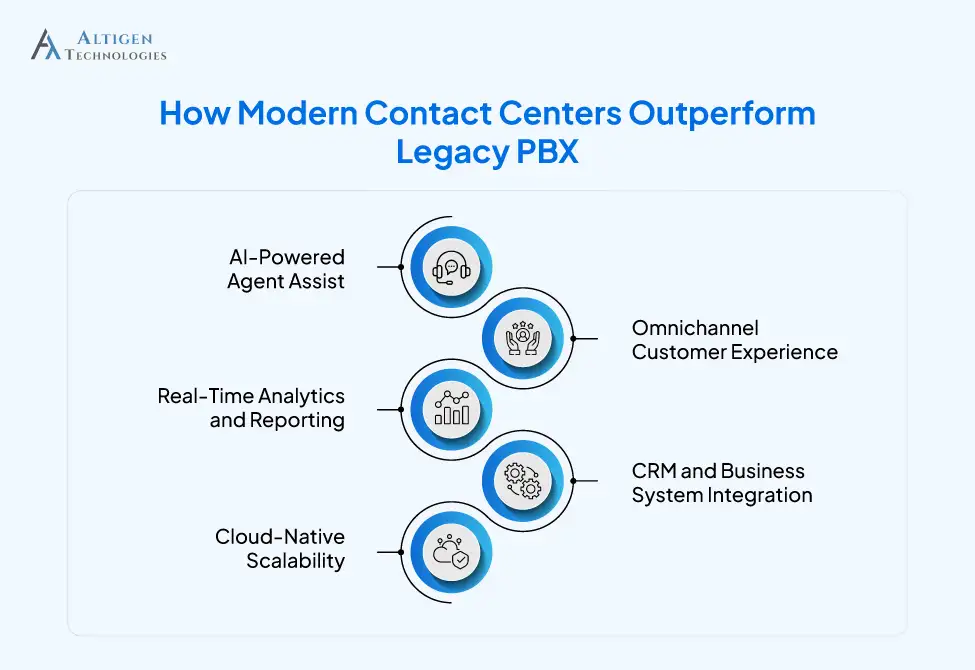
1. AI-Powered Agent Assist
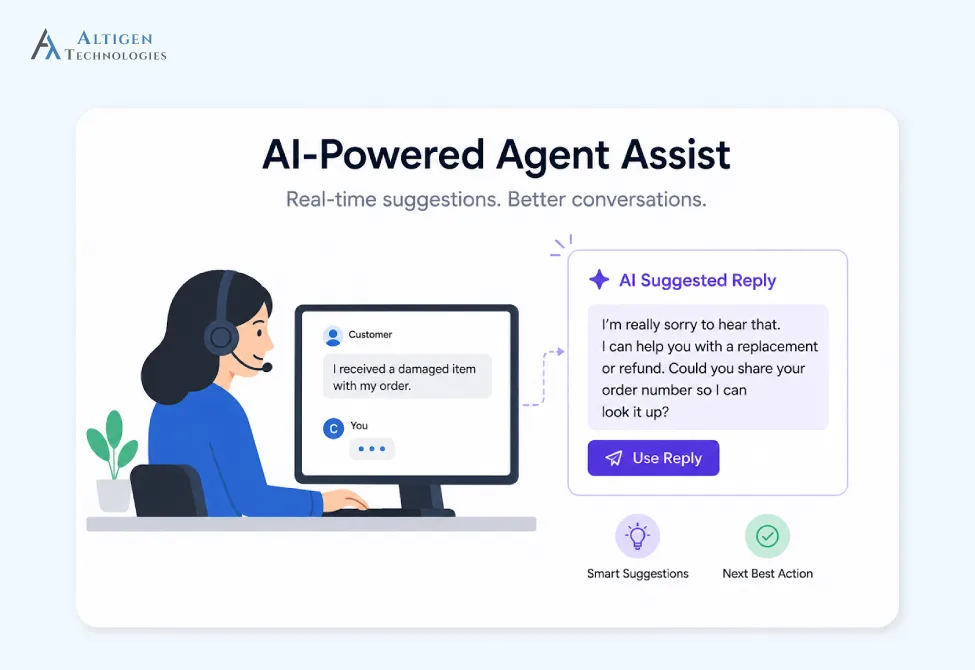
An AI-powered system can listen to every conversation and find relevant information, suggest responses, and provide next actions before the agent has to search for them. Automated quality scoring also replaces manual call reviews.
More than 55% of new CCaaS deployments in 2025 integrate AI-powered analytics, chatbots, or sentiment analysis tools. That’s why AI has become an essential feature for competitive customer service.
Suggested Reading: A Guide to Using Artificial Intelligence in Contact Center
2. Omnichannel Customer Experience
Nowadays, customers don’t choose one channel for communication. A contact center solution handles voice, email, live chat, SMS, and social media in a single-agent desktop, with full context carried across every channel.
A PBX VoIP system handles the call. It doesn’t know about the email the customer sent yesterday or the chat they started this morning.
3. Real-Time Analytics and Reporting
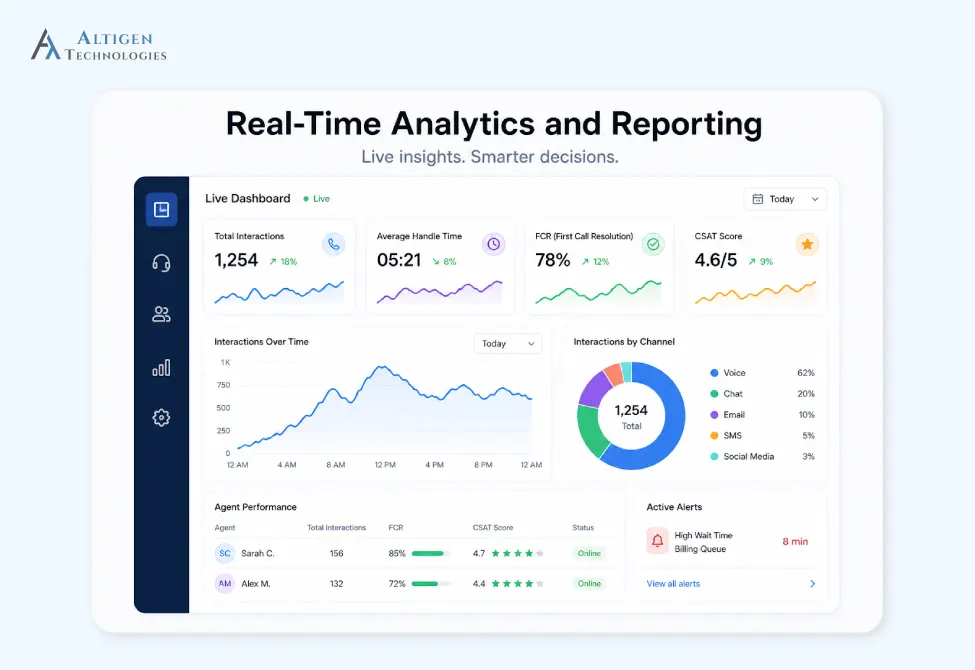
Modern contact center solutions provide live dashboards, FCR tracking, CSAT scoring, and automated quality monitoring across 100% of interactions. Mid-market managers can see exactly where bottlenecks occur and act on them.
Traditional PBX phone systems only provide basic call logs without analytics, so users must pull data manually and analyze it.
4. CRM and Business System Integration
Contact center software seamlessly integrates with Salesforce, Microsoft Teams, ServiceNow, and other core business systems. Agents get full customer context before the conversation, including purchase history, previous tickets, and account status, without switching screens.
5. Cloud-Native Scalability
If you want to scale the capacity of traditional PBX systems, you need to spend on hardware, wait for installation, and absorb costs you can’t recover. Cloud-native contact center software removes all these problems. It allows you to:
- Add seats on days when your team grows or demand spikes
- Scale back after peak seasons and save on costs
- Support fully remote and hybrid agents without VPN workarounds
- Expand into new locations without delays in infrastructure procurement
When Should You Replace a Traditional PBX System? 5 Warning Signs
Businesses are replacing legacy PBX systems with cloud-based platforms as customer support demands continue to grow. According to a recent study, the global contact center software market is expected to grow at a 21.9% CAGR through 2033. Here are some clear signs it’s time to switch from legacy PBX phones.
- Agents are using personal phones or workarounds because the PBX can’t support remote or hybrid work
- Customers repeat their issue on every transfer, and there’s no shared context between departments
- IT spends significant hours maintaining phone infrastructure instead of strategic initiatives
- You have no real-time visibility into call volumes, resolution rates, wait times, or agent performance
- Adding new agents or office locations requires hardware orders and installation delays of weeks or months
How to Migrate From PBX to Contact Center Software
Migrating from PBX to a modern contact center is challenging for growing mid-market companies due to the disruption of live operations. They need the right technology consulting and a structured rollout plan for smooth transition. Here is a structured roadmap to do this.
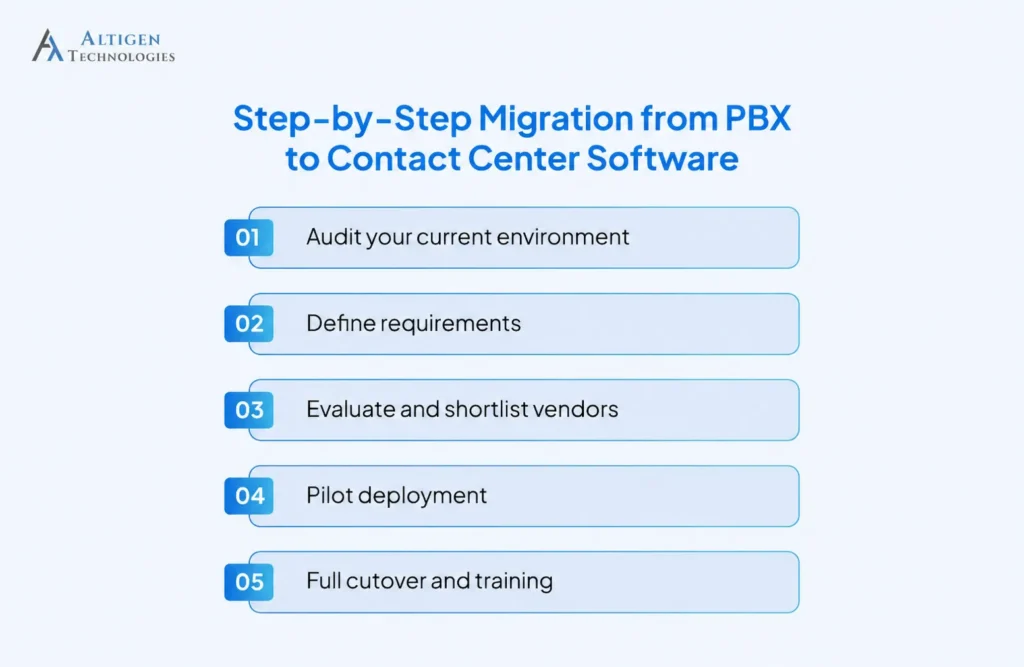
1. Audit your current environment
Document existing call flows, integrations, agent workflows, and compliance requirements. Decide what you need to keep and what you can remove.
2. Define requirements
Define your requirements, how customers will contact you (calls, email, chat), when your team gets the most requests, which tools need to connect, and any compliance rules. Use this as your request for proposal (RFP).
3. Evaluate and shortlist vendors
Talk to a few vendors and see their demos. Use the same test scenario for each one so you can compare fairly. Then ask for customer references and make sure vendors demonstrate how the system works in real environments.
Suggested Reading: How to Evaluate Contact Center Software
4. Pilot deployment
Roll out with a small group of agents (10–20%). Test integrations, call quality, and agent experience before implementing it across the organization.
5. Full cutover and training
Run parallel systems for two to four weeks before fully replacing the PBX. Agent training should happen before cutover, not after that.
According to Mordor Intelligence, migrating a 500-seat contact center averages $150,000 to $300,000 in consulting and implementation fees. However, choosing the right vendor with deep migration experience can reduce that cost and the risk of downtime.
The Bottom Line
Most mid-market companies are shifting from PBX to contact center solutions due to disconnected tools, poor customer and agent experience, minimal analytics, and difficulty in scaling. The bigger risk is falling behind competitors already using modern contact center solutions.
Moving to a contact center solution like Altigen’s MaxCloud helps you handle conversations more efficiently, improve customer experience, and ensure seamless migration. Book a demo today.
Frequently Asked Questions
The three main types of PBX systems are Traditional (Analog/On-Premise), IP (VoIP) PBX, and Cloud or Hosted PBX.
Yes, modern cloud contact center software handles all internal and external voice routing, plus omnichannel channels, AI, and analytics. This makes a legacy PBX phone system redundant for most mid-market businesses.
For a mid-market company with 100–500 agents, the structured migration may take between 12–16 weeks from audit to full migration, including a parallel-running period.
Yes, a cloud contact center solution is secure, provided you choose a vendor with SOC 2 Type II, HIPAA, and PCI-DSS certifications. Before signing up, look for an actual audit report instead of just checking on the vendor’s website.
Most contact center software, including Altigen’s MaxCloud, provides support number porting. The process usually takes 7–14 business days and is managed by the new provider.
The 80/20 rule in call centers is a service level (SL) benchmark, which means 80% of calls are answered by an agent within 20 seconds.
Yes, MaxCloud is suitable for MSP delivery models. We allow partners to offer branded contact center solutions without managing the infrastructure themselves.