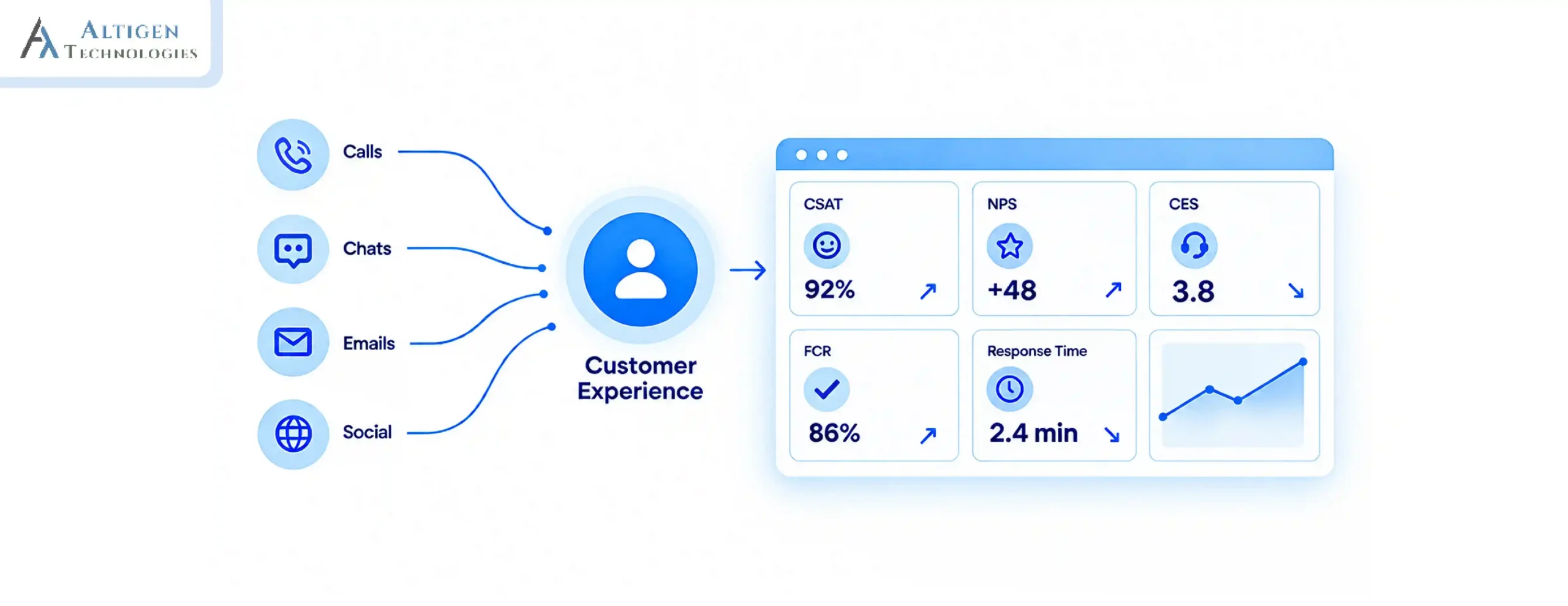
Between the moment a call connects and the moment an agent’s phone rings, a decision gets made. Who takes this call? That decision happens in a fraction of a second, and it determines whether the caller reaches the right agent or not.
HubSpot’s 2024 State of Service report found that 82% of customers expect their issues to be resolved immediately. This means routing calls to the correct agent quickly is very important. Automatic call distribution (ACD) in modern cloud contact center software solves this problem.
This guide explains what ACD is, how it works in a modern cloud-based contact center, the different routing methods it uses, how call queues are managed when agents are unavailable.
| TL;DR – 30-Second Quick Takeaways The quality of your routing rules is more important than the routing method. Even advanced ACD systems perform poorly if skills, priorities, and queues are not configured correctly. Queue design directly impacts customer experience. Callbacks, overflow routing, and maximum wait times prevent customers from waiting indefinitely when agents are unavailable. Metrics like transfer rate, abandonment rate, and first call resolution reveal whether calls are reaching the right agents. Cloud-based ACD adapts as your business grows. It supports remote teams, integrates with CRM systems, and uses real-time customer and agent data to make smarter routing decisions. |
What Is ACD (Automatic Call Distribution)
Automatic Call Distribution (ACD) is the technology that automatically routes incoming calls to the most appropriate agent or queue. Instead of sending calls to the next available agent, it uses skill-based routing, agent availability, or customer information to decide where the call should go.
ACD works along with an Interactive Voice Response (IVR) system, but the two are different technologies and serve different purposes. The IVR interacts with the caller and menu options or accepts voice input to understand why they’re calling. The ACD then uses that information, along with agent availability and CRM data, to determine the best destination for the call.
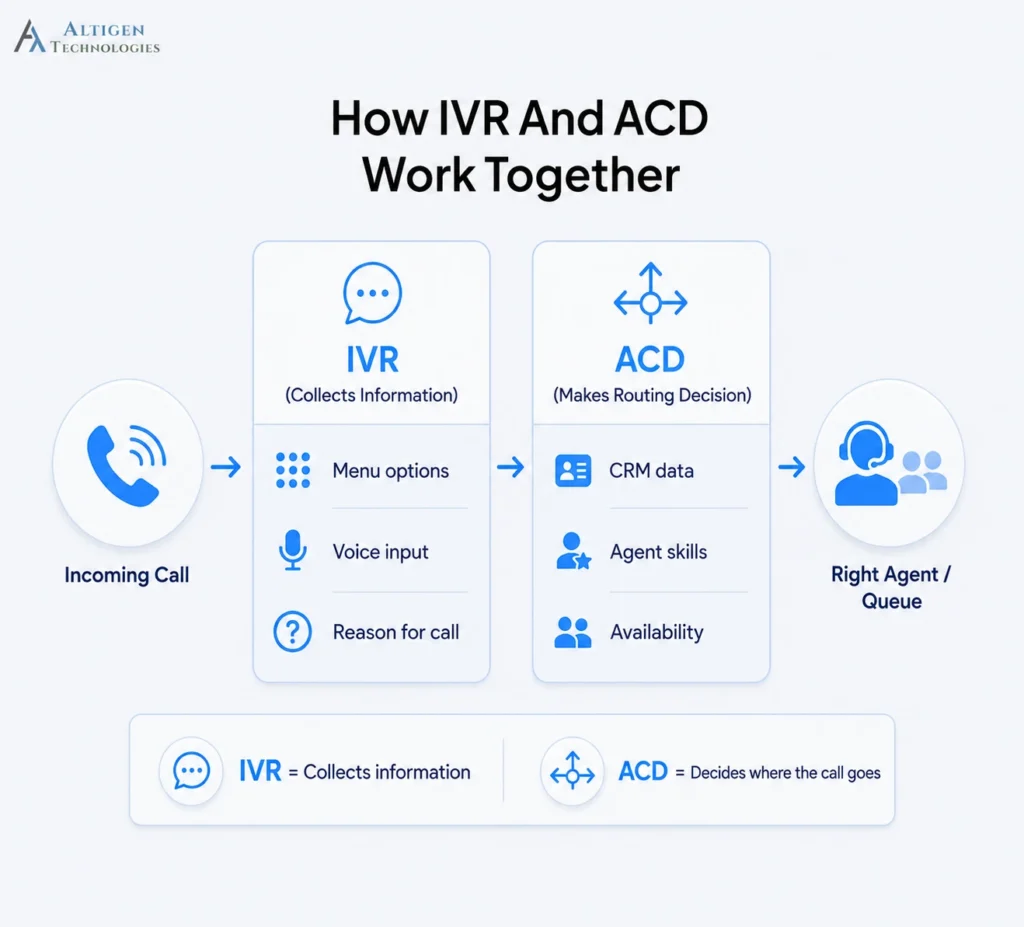
How ACD routes calls: a step-by-step process
Every incoming call goes through a series of routing decisions before it reaches an agent. Here’s how the ACD makes that decision, step by step.
1. Call arrives and identity is resolved
Before the ACD decides where to route a call, it collects basic information about the caller and the number they dialed.
- ANI (Automatic Number Identification) captures the caller’s phone number.
- DNIS (Dialed Number Identification Service) identifies which business number the caller dialed, helping determine the purpose of the call.
- The system then checks the CRM for details such as the customer’s account status, previous interactions, and any open support tickets.
For example, a customer calling the billing support number with an unresolved payment issue can be prioritized differently from a first-time caller dialing your general support line.
2. Intent is captured
Once the caller is identified, the ACD determines the reason for the call so it can route it to the most appropriate queue or agent. This information typically comes from one of three sources:
- An IVR menu selection, such as “Press 2 for Billing”
- Spoken responses captured through speech recognition
- The number dialed, when a phone number is dedicated to a specific department or service
If a customer calls a phone number reserved exclusively for technical support, the system already knows the caller’s intent and can skip the IVR menu altogether.
3. Determines the right agent for the call
Based on the input received in the IVR, the ACD identifies the type of agent best suited to handle the request. It considers factors such as:
- Skills needed to handle the request
- Priority tier, based on account value or issue severity
- Language preference
- Compliance constraints that limit who is permitted to take the call
4. Agent pool is filtered and scored
The ACD compares the call’s requirements with every available agent to find the best match. It first removes agents who aren’t eligible to take the call, then ranks the remaining agents based on predefined routing rules.
For example, if a customer needs technical support in Spanish, the ACD won’t route the call to an English-speaking billing agent, even if they’re available. Instead, it selects the most qualified agent who meets the routing criteria.
5. Route the call or place it in a queue
If a suitable agent is available, the ACD routes the call immediately. If no qualified agent is available, or all qualified agents are already handling other calls, the caller is placed in a queue. The system then starts tracking the wait time against the queue settings you’ve configured, such as callback offers, overflow routing, or the maximum wait time.
ACD routing methods and when to use them
Once the ACD determines the best type of agent for a call, it applies a routing method to decide which eligible agent receives it. The right method depends on your team structure, call volume, and customer service goals.
| Method | How It Routes Calls | Best Fit |
| Linear (fixed order) | Always starts at the same agent, works down a set list | Very small teams with a deliberate seniority order |
| Circular (round-robin) | Rotates through the list, resuming where it stopped | Teams where every agent handles the same call types |
| Longest Idle | Routes to whoever has been available longest | Uniform teams where utilization balance is the goal |
| Simultaneous | Rings several agents, first to answer takes it | Small teams, urgent or low-volume queues |
| Skills-based | Matches call requirements against agent proficiency scores | Multi-tier support, technical products, regulated industries |
| Priority-based | High-value or urgent callers move ahead in queue | Tiered service contracts, escalation paths, SLA commitments |
| Time and geographic | Routes by business hours, time zone, or caller location | Multi-region operations, follow-the-sun coverage |
Call queue management: what happens when no agent is free
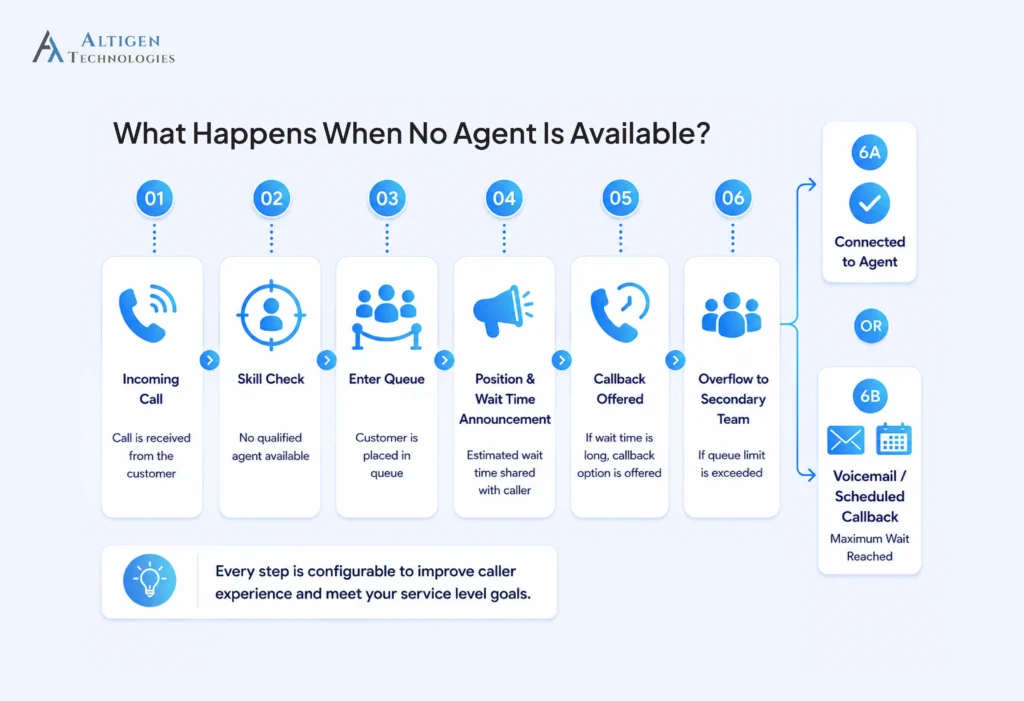
If no qualified agent is available, the call enters a queue and the system begins tracking wait time. From there, the queue follows the rules you’ve configured, including priority, callbacks, overflow routing, and maximum wait limits.
SQM Group’s benchmarking of over 500 North American call centers sets the service level standard at answering 80% of calls within 20 seconds.
1. The caller is assigned a queue position
The system places the caller in the queue based on its priority rules. Standard callers join the queue normally, while high-priority callers move ahead based on predefined criteria. If too many callers are marked as high priority, standard callers can experience much longer wait times.
2. The system keeps checking for available agents
The ACD continuously checks for available agents who meet the call’s routing requirements. Even if a caller is first in the queue, the next available agent won’t receive the call unless they have the required skills.
3. The caller receives wait time updates
The caller gets to know his position in the queue and the estimated wait time. These announcements help callers decide whether to continue waiting or call back later. Clear updates create a better experience than leaving callers on hold with no information.
4. A callback is offered
Once the configured wait time is reached, the system can offer a callback while preserving the caller’s place in the queue. This reduces hold time without delaying service.
5. Calls overflow to another team
When the queue reaches its configured limit, calls can be routed to a secondary team or queue. You can set this threshold based on your service level goals and ensure the overflow team has enough capacity.
6. The queue reaches its maximum wait time
Every queue should have a maximum wait time and a defined outcome, such as voicemail, a scheduled callback, or transfer to another team. Callers should never remain in a queue without a clear next step.
Which metrics tell you if your ACD is working
The following metrics help you understand whether your ACD is routing calls efficiently and delivering a better customer experience.
- Average Speed of Answer (ASA): If ASA increases while call volume remains steady, your routing or queue configuration may need attention rather than additional staffing.
- Abandonment Rate: A rising abandonment rate suggests callers are waiting too long before reaching the right agent or leaving the queue altogether.
- First call resolution: A drop in FCR can indicate that calls are being routed to the wrong agents. SQM Group research shows every 1% improvement in FCR delivers a 1% improvement in customer satisfaction.
- Occupancy: Large differences in occupancy between agents may indicate that the ACD isn’t distributing calls evenly.
- Service level: Measures whether calls are answered within your target timeframe, making it one of the clearest indicators of ACD performance.
- Transfer rate: A high transfer rate usually means calls are reaching the wrong department or agent.
- Average Handle Time: A sudden increase in AHT may indicate that calls are being routed to agents who do not have the required skills or context.
Suggested Reading: How to Reduce AHT with Contact Center Management Software
Final takeaway
An effective ACD connects customers to the right agent faster, reduces wait times, improves first call resolution, and helps contact centers operate more efficiently. Getting the routing rules, skill assignments, and queue settings right can significantly improve both customer experience and agent productivity.
If you’re looking for a contact center solution with intelligent automatic call distribution, skill-based routing, queue management, and real-time reporting, Altigen provides a cloud contact center solution that combines these capabilities in a single platform.
Contact us to see how we can help you with a customized contact center solution based on your needs.
Frequently asked questions
No, IVR collects information from the caller through menus or voice input and interacts with them directly. ACD takes that information, combines it with CRM data and agent availability, and decides who receives the call. They work together but do different jobs.
Modern cloud contact center platforms use ACD to route voice, chat, email, and messaging interactions through a single routing engine, with a shared agent state so one agent is not assigned a call and a chat at once. Voice-only legacy systems cannot, and channel routing added as a separate product often behaves as if it cannot.
Cloud ACD treats location as irrelevant. Agent state is tracked through a browser or softphone session rather than a physical desk phone, so a remote agent, a branch agent, and an on-site agent are identical to the routing engine. On-premise systems tied to PBX hardware handle this poorly, which is a common reason operations move to the cloud.
Yes, modern ACD systems can prioritize callers based on CRM data, service plans, account value, or issue severity, ensuring high-priority customers receive faster access to qualified agents.
A method that scores agents on specific competencies and routes each call to the best-matching available agent rather than the next free one. It raises first call resolution when skill definitions stay broad enough that calls reliably find qualified agents.