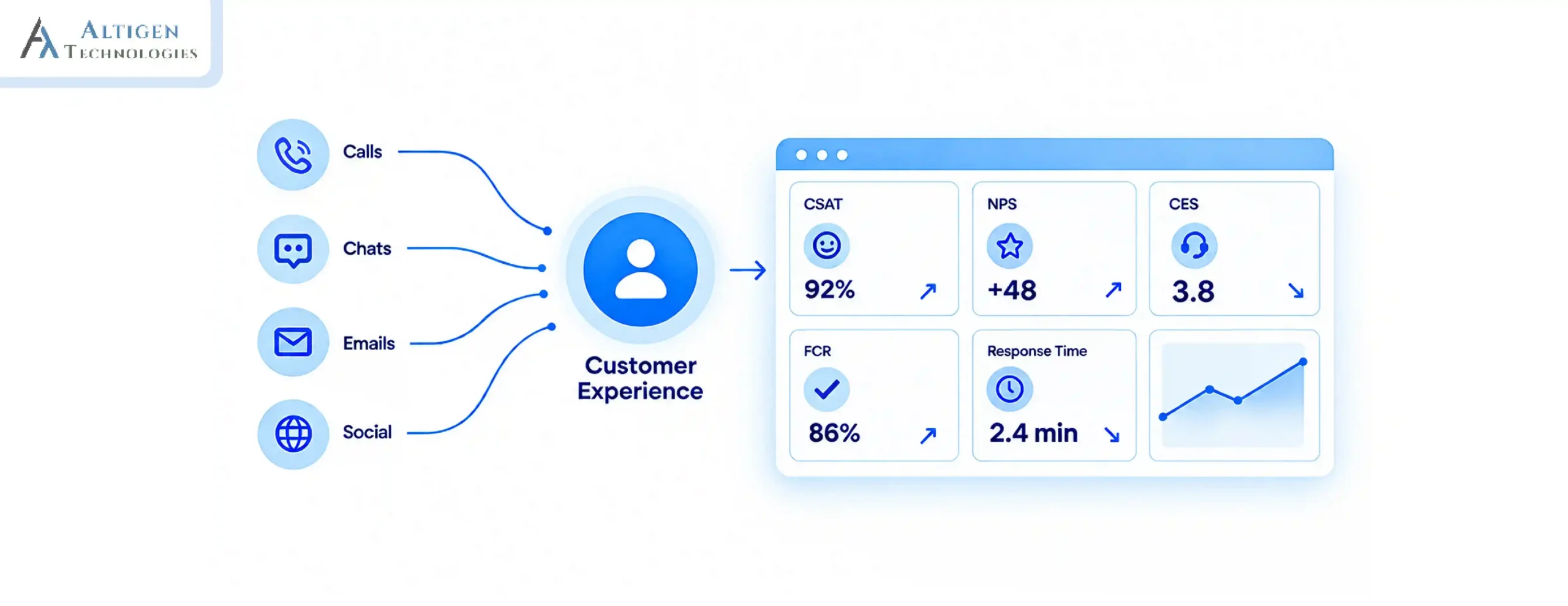
Every contact center software vendor in this market will tell you they’re the best fit for your enterprise. If you can’t make the right choice, you enter a multi-year commitment, directly impacting uptime, agent productivity and customer experience.
| TL;DR – The 30 seconds quick summary The Problem: Many enterprise contact center teams choose the wrong software and get locked into multi-year contracts. The Insight: With the contact center software market projected to hit $152.4 billion by 2033, all the vendors claim they offer the best platform, making it difficult to choose the right one. The Fix: Evaluate across critical factors including omnichannel capability, AI maturity, integrations, security, scalability, WEM, analytics, and vendor support before signing. Keep reading to: Get the 8-factor framework, a vendor red flag checklist, 10 demo questions, and a cost of ownership breakdown to choose the right software. |
Picking the wrong contact center software is an expensive mistake. Deployments take 3 to 6 months on average, and contracts lock you in for years.
Replacing them means retraining teams, rebuilding integrations, and losing productivity, which can significantly impact your business. Yet many enterprises still make decisions without a proper evaluation.
In this guide, we will explore the right evaluation criteria for enterprise needs, identify hidden costs, and long-term risks of choosing the wrong software to help you make an informed decision.
What Is Contact Center Software and What Makes Enterprise Requirements Different?
Contact center software is a platform that manages customer interactions across channels such as voice, email, chat, and social. It routes conversations, equips agents with context, tracks performance, and helps teams deliver consistent customer experiences.
At a basic level, most platforms offer similar core capabilities, but when it comes to an enterprise-grade solution, complexity, scalability, and risk are higher.
Enterprise requirements go beyond handling conversations due to:
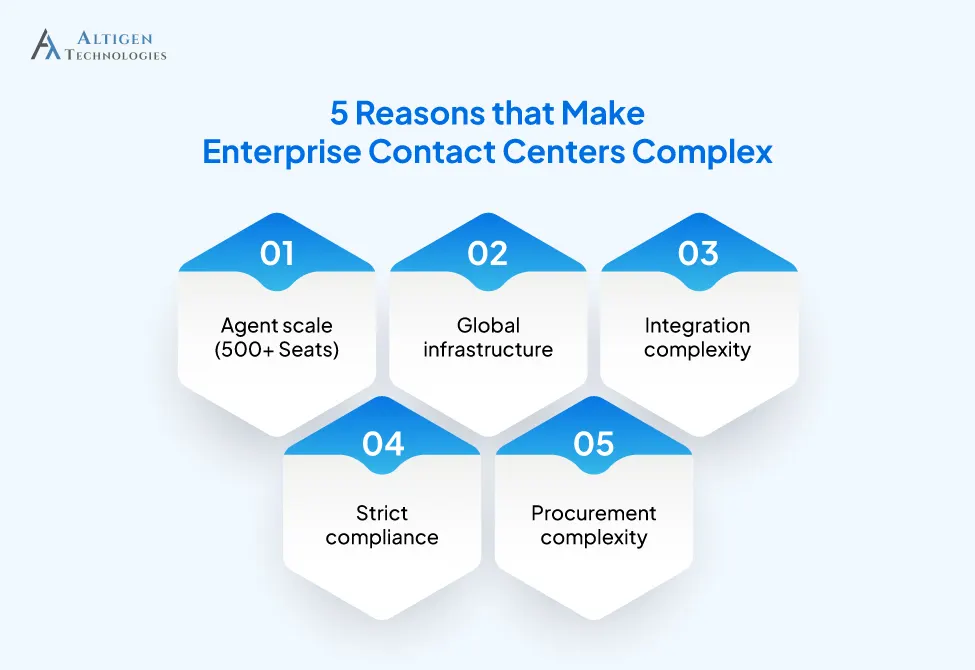
- Agent scale: Managing 500+ agents across multiple locations vs a single-site team of 20
- Global infrastructure: Supporting distributed teams, time zones, and regional uptime requirements
- Strict compliance: Meeting strict standards such as GDPR, HIPAA, PCI-DSS, and internal governance policies
- Integration complexity: Connecting with CRMs, ERPs, workforce management tools, and internal systems
- Procurement complexity: Involving CX, IT, security, and procurement teams in a structured evaluation process
Set Up Your Evaluation Team Before You Start
The contact center software market is growing fast. It was valued at $40.9 billion in 2024 and is projected to hit $152.4 billion by 2033. That growth has flooded the market with vendors, all making similar promises. That’s why when selecting contact center software, you need a structured approach. Here is a step-by-step process.
Most enterprise software evaluations fail before the first demo because the requirements are not clear. Before scheduling vendor calls, you should align these five stakeholders:
- CX / Contact Center Director: Understands agent experience, KPIs, and customer satisfaction outcomes
- IT / Infrastructure Lead: Understands integration architecture, security requirements, and uptime
- Finance / Procurement: Understands total cost of ownership, contract terms, and ROI expectations
- Legal / Compliance: Knows regulatory obligations (SOC 2, HIPAA, PCI-DSS, GDPR)
- Workforce Management: Knows scheduling, training, and agent adoption
These stakeholders should define their requirements first. Otherwise you will waste weeks on demos and discussions and still be confused. If your internal team lacks the expertise to run a structured evaluation, AltiGen’s technology consulting team can guide the process from requirements gathering to vendor selection.
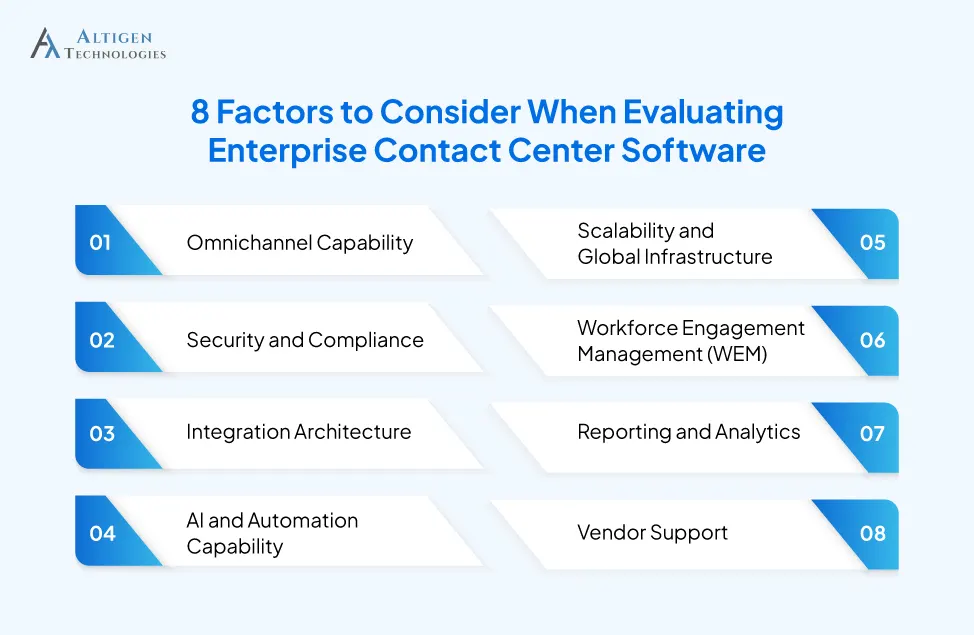
How to Evaluate Contact Center Software: 8 Key Factors to Consider
Here’s a step-by-step framework to evaluate enterprise contact center software.
1. Omnichannel Capability
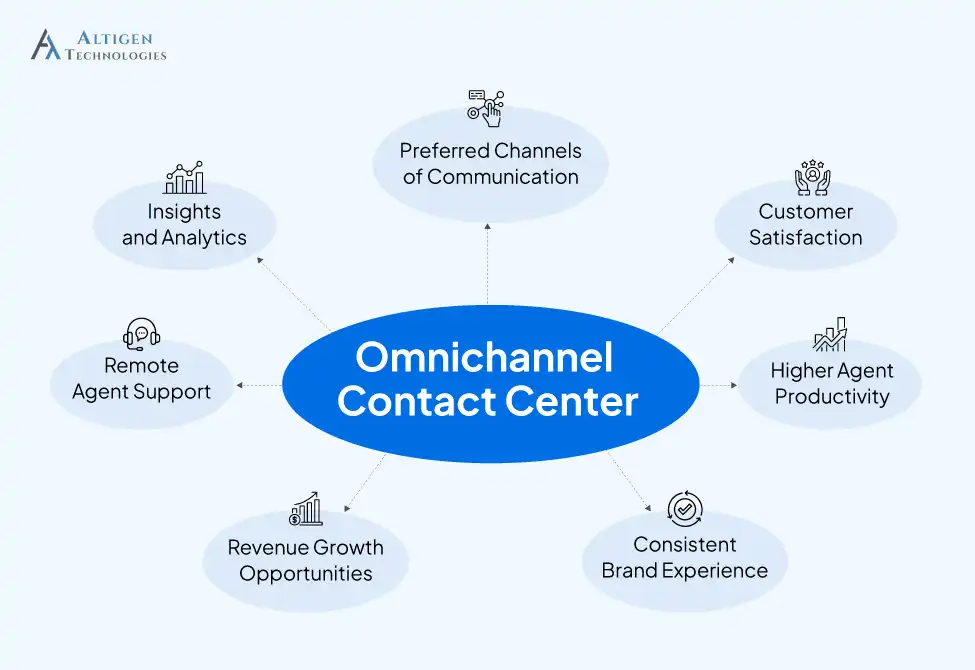
Ask whether the platform supports voice, email, live chat, SMS, social media, and messaging or whether it requires third-party integrations for each channel.
Native omnichannel means agents get a single unified desktop, whereas bolt-on channels mean context loss every time a customer switches from chat to voice. Ask for a live demo of context transfer between channels.
AltiGen turns Microsoft 365 into a native omnichannel contact center without any new stack.
2. Security and Compliance
Security and compliance is highly critical for regulated industries, including healthcare, financial services, or government services. Here are certifications that you must look for:
- SOC 2 Type II (security, availability, confidentiality)
- ISO 27001 (information security management)
- HIPAA (healthcare data)
- PCI-DSS (payment data)
- GDPR (EU customer data)
Don’t accept a vendor’s word, rather ask for the actual SOC 2 Type II audit report. Ask for their penetration testing cadence. Ask for the shared responsibility model document.
3. Integration Architecture
Your call center software needs to connect to your CRM, your ERP, your helpdesk, and other internal systems. You can go for tools with native integrations that are faster and more reliable. API integrations are flexible but require ongoing developer maintenance.
- Ask for pre-built connectors: Salesforce, ServiceNow, Microsoft Teams, SAP
- Ask whether the API is public and comes with an SLA
- Ask how data flows into your BI layer (Snowflake, BigQuery, etc.)
Note that 44% of support teams cite consolidating data into a single source of truth as their number-one challenge. Integration quality directly determines whether your analytics are trustworthy.
4. AI and Automation Capability
AI is one of the most overpromised features in the contact center market right now. There’s a meaningful difference between:
- Conversational AI (understands intent, resolves issues autonomously)
- Scripted IVR (press 1 for billing, press 2 for support)
Look for platforms where AI handles agent assistance in real time, automates quality assurance across interactions, and enables intelligent routing, not just keyword triggers.
5. Scalability and Global Infrastructure
Contact center volume scales up during peak seasons, when expanding into new markets. Cloud-based contact center solutions offers better scalability and currently holds approximately 57-62% of the market, depending on the segment, and is growing faster than on-premises deployments.
Ask the vendor:
- What’s the uptime SLA? (Enterprise standard is 99.99%)
- Do you offer data residency options for regional compliance?
- How do you handle traffic spikes without degrading call quality?
If you’re working with an MSP to deploy contact center solutions, ensure the UCaaS platform supports multi-tenant architecture and per-client reporting, not just single-instance deployments.
6. Workforce Engagement Management (WEM)
WEM covers everything that happens around the conversation: forecasting, scheduling, quality monitoring, and agent coaching.
The mistake most teams make is evaluating WEM as an afterthought. If it’s a separately purchased add-on from a third party, your data is siloed, your workflows are fragmented, and your agents feel the gap.
Look for native WEM that includes:
- AI-powered forecasting and scheduling
- Automated quality scoring across 100% of interactions (not a 5% sample)
- Real-time agent assist and coaching nudges
- Gamification and performance dashboards
7. Reporting and Analytics
Real-time dashboards are a feature that most software providers offer, but enterprise teams need deeper analytics. The real question is what you can do beyond the standard dashboards.
When evaluating analytics, look for these capabilities:
- Build custom KPI tracking aligned to your business, not just the vendor’s default metrics
- Export data to your data warehouse for cross-platform analysis
- Surface predictive insights, not just what happened, but what’s likely to happen next
8. Vendor Support
You may select the best contact center software in terms of features, pricing and scalability, but it becomes useless if the vendor is financially unstable or cannot provide reliable support. Before shortlisting any vendor, evaluate these key factors:
- Analyst recognition: Check recognition at Gartner Magic Quadrant, Forrester Wave
- Financial health: Private equity-backed vendors carry acquisition risk
- Enterprise SLA tiers: Enterprise support should be clearly defined, not routed through shared queues
- Customer success: Check for dedicated customer success manager (CSM) from day one
- Reference: Ask for references specifically from enterprise customers with similar scale, industry, and compliance requirements to yours.
How to Compare Contact Center Software Vendors
When comparing contact center vendors, you need to look beyond the feature list and pricing. You can start with your contact center’s needs, shortlist some relevant criteria and assign each criterion a weight. Then score every vendor against the same requirements. Here is a quick step-by-step method.
- Define your criteria: Cover core functionalities for your contact center, and group them into key areas. For example:
- Core functionalities: IVR, call routing, queues, call recording, and supervisor tools
- Channel support: Voice, chat, email, SMS, and social channels
- Agent experience: Agent desktop, call controls, knowledge access, and coaching tools
- Integrations: CRM, help desk, workforce management, Teams, and APIs
- AI and automation: AI -powered virtual agents, self-service, agent assistance, summaries, and sentiment analysis
- Reliability and security: Availability, SLAs, and data protection and compliance.
- Implementation and support: Migration, deployment, training, and ongoing support.
- Assign weights: Give higher weights to requirements that have greater business impact for your contact center. For example, security may carry more weight for regulated organizations, while integrations and scalability is more crucial for growing contact centers.
- Set a scoring scale: Use a simple 1–5 scale and define what each score means.
For example,
| Score | Meaning |
| 5 | Fully meets the requirement with little or no customization |
| 4 | Meets the requirement with minor limitations |
| 3 | Partially meets the requirement or requires additional configuration |
| 2 | Significant limitations or workarounds required |
| 1 | Does not meet the requirement |
- Test vendors against the same situations: Ask each provider to demonstrate the workflows that are important to your team and record the evidence behind each score.
- Review weighted scores and gaps: Calculate the weighted results, then check for critical gaps separately. A high overall score should not compensate for a missing must-have capability.
Comparing all the vendors against the same criteria helps you evaluate their services side by side and select the best fit for your business.
How Much Does Enterprise Contact Center Software Cost
The per-seat price is never the real price. Enterprise contact center software comes with a cost structure that buyers frequently underestimate.
Include these in your TCO calculation:
| Cost Category | What to Watch For |
| Licensing | Per-seat vs usage-based; enterprise plans often exceed $300/seat/month |
| Implementation | Professional services often run 1–3× the first-year license cost |
| Integration development | Custom connectors for legacy systems add a high one-time cost |
| Annual price escalation | Read the contract — many vendors build in 5–8% annual increases |
| AI add-ons | Generative AI, WEM, and advanced analytics are often separately priced |
You should get a fully loaded 3-year cost model from every vendor on your shortlist. Then compare it against the cost of your current platform, including the productivity loss caused by its limitations.
Red Flags to Watch Before Shortlisting Vendor
The cost of choosing the wrong platform is high, and some software is not built for enterprises. This checklist helps you remove the vendors that are not designed for enterprises.
- Can’t produce a SOC 2 Type II report on request, or delays providing it
- AI features are “on the roadmap” not in production with documented performance data
- WEM is a third-party add-on with a separate contract and billing relationship
- No dedicated CSM at enterprise tiers
- Reluctance to provide reference customers in your vertical
- Auto-renewal clauses buried in the contract without negotiable exit terms
- Demo environments that look polished but don’t reflect production performance
Suggested Reading: Is Your Contact Center at Risk?
Cloud vs On-Premises: Quick Answer for Enterprises
Cloud-based (CCaaS) is the right choice for most enterprise teams in 2026. It eliminates capital expenditure, reduces deployment timelines from months to weeks, and significantly decreases infrastructure management time compared to legacy systems.
Here is a quick comparison.
| Aspects | Cloud (CCaaS) | On-Premises |
| Best For | Most enterprise teams | Government, defense, and regulated industries |
| Deployment Time | Weeks | Months |
| Capital Expenditure | Low (subscription-based) | High (upfront infrastructure cost) |
| Infrastructure Management | Vendor-managed | In-house IT |
| Data Sovereignty | Varies by vendor | Full control |
| Scalability | High | Limited |
| Recommended? | Yes, for most enterprises | Only where compliance demands it |
10 Questions to Bring to Every Vendor Demo
A vendor arranges a demo to show their product is perfect for you. However, it is your job to test them. Use these questions to understand how the platform performs and scales under real conditions.
- What percentage of your enterprise customers (500+ seats) have renewed after their first contract term?
- What is your uptime SLA, and how do you compensate for breaches?
- How do you handle data residency requirements for customers with operations in the USA and EU?
- What AI features are generally available today, and what requires professional services to activate?
- How long does a typical enterprise deployment take from contract signing to full production?
- What does your CSM-to-customer ratio look like at the enterprise tier?
- Can you share a customer reference in our specific industry vertical?
- How is your pricing structured for usage spikes? Specifically, is there a maximum cost cap or does the price keep increasing as your usage grows?
- What integrations do you have pre-built, and what requires custom API work?
- What are the contract exit terms if we need to switch platforms?
Final Takeaway
Evaluating contact center software for enterprise teams is not just about comparing features. It’s about evaluating whether the platform fits your business requirements, pricing expectations, and risk profile.
An ideal customer service software offers omnichannel facility, AI-powered agent assistance, integration depth, security, scalability, analytics, and vendor support. Most vendors claim they check every box. But it is your job to verify that claim before the contract is signed.
Ready to see how AltiGen Technologies performs against your specific evaluation criteria? Book a consultation and bring all the questions that concern you.
Frequently Asked Questions
A call center handles only voice calls, but a contact center manages multiple channels, including chat, email, and social media, giving customers multiple ways to reach your team.
You need to check for the signs like agents switching between multiple tools, no real-time visibility into performance, frequent downtime, and customer complaints repeating themselves across channels.
CCaaS (Contact Center as a Service) is a cloud-based contact center software model where the vendor hosts and manages the infrastructure. It eliminates the need for on-premises hardware, thus reducing upfront costs.
FCR is a measure of the percentage of issues that are resolved in a single interaction. It’s one of the most reliable indicators of contact center efficiency. Higher FCR means better customer satisfaction and lower costs.
Yes, many enterprise platforms, including Altigen, offer native Microsoft Teams integration, allowing agents to collaborate internally without leaving the contact center interface.
You should choose contact center software based on your business requirements, including channels, integrations, agent needs, AI capabilities, security, scalability, reliability, and total cost. Compare vendors using the same criteria and test how each platform handles your key contact center workflows.
CCaaS (Contact Center as a Service) is a cloud-based contact center platform hosted and managed by a service provider, while on-premises software is deployed and maintained on an organization’s own infrastructure. CCaaS reduces the need for in-house infrastructure management, while on-premises software gives organizations more control over deployment and infrastructure.