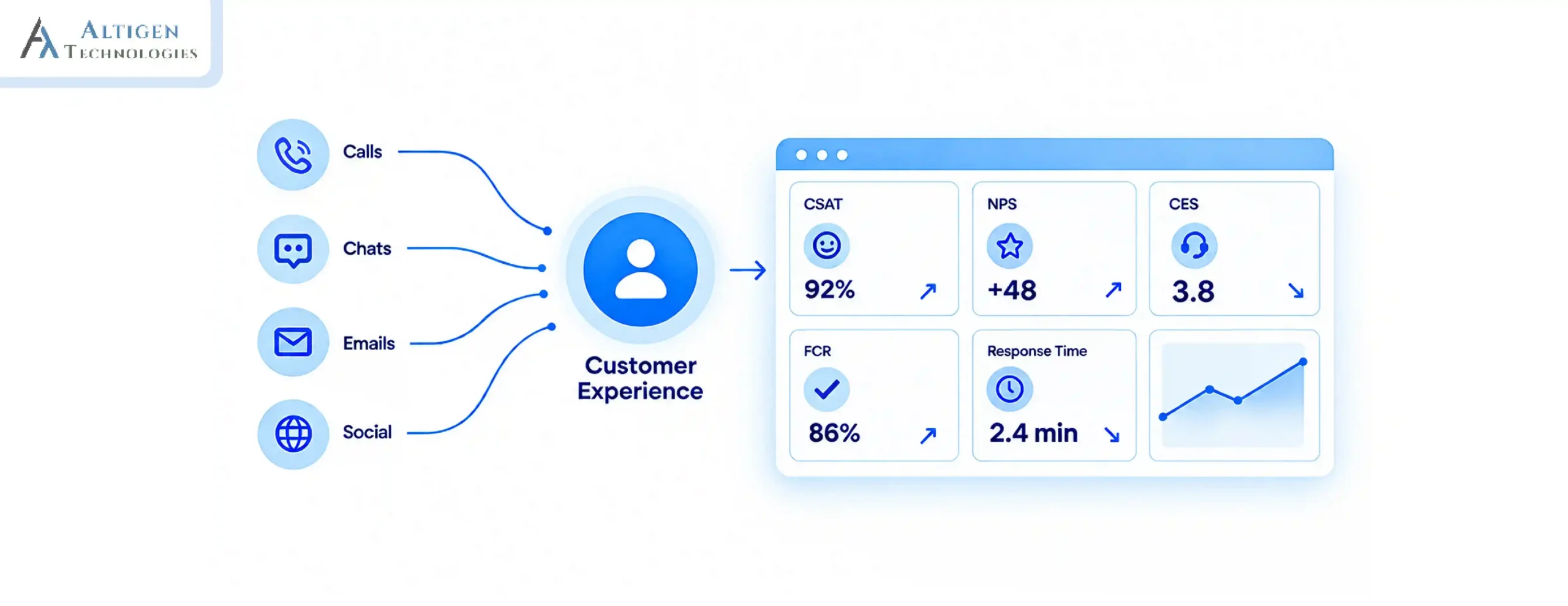
Your agents already work inside Microsoft Teams. But somewhere between the call system, the CRM, and the reporting dashboard, the customer conversation loses context. The customer notices this before your team does.
TL;DR — 30-Second Summary
- The Problem: Microsoft Teams is excellent for internal collaboration, but disconnected systems make it difficult to scale customer support efficiently across channels.
- The Fix: Build a Teams-native contact center platform with omnichannel communication, CRM integration, intelligent routing, and AI-powered automation.
- The Impact: A scalable Teams contact center platform helps businesses improve customer experience, support remote teams, and scale operations more efficiently.
- Keep reading to: Learn the best Microsoft Teams integration models, and how to design a scalable cloud contact center.
In 2025, more than 90% of Fortune 500 companies used Microsoft Teams. In the US alone, more than 8 million companies use Microsoft Teams, but is it suitable for customer support? Contact center solutions require more features than meetings and chat. As support volumes grow, businesses struggle to manage customer conversations, reporting, routing, and CRM access efficiently across channels.
This is why many organizations are building scalable contact center platforms on Microsoft Teams. With the right integrations and automation, Teams can support omnichannel communication and provide enterprise-grade customer service operations.
In this guide, you’ll learn how to build a scalable cloud contact center solution on Microsoft Teams that grows with your business.
Why Businesses Are Building Contact Center Platforms on Microsoft Teams
Many businesses rely on Microsoft Teams for collaboration and internal communication. Extending it into a cloud contact center platform helps organizations unify customer communication, reduce operational complexity, and scale support operations more efficiently.
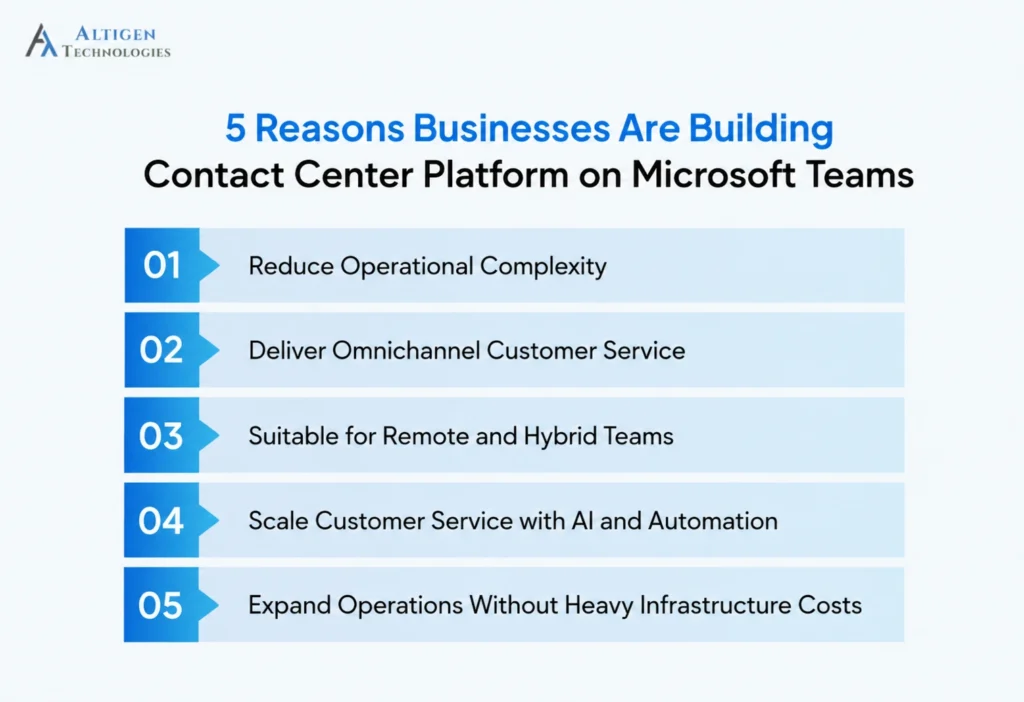
1. Reduce Operational Complexity
Building a Teams customer service platform on Microsoft Teams phone helps businesses centralize communication workflows, simplify agent operations, and reduce the overhead of managing multiple platforms.
2. Deliver Omnichannel Customer Service
Customers expect consistent support experiences across voice, chat, email, SMS, and digital channels without repeating information. A Teams-integrated contact center platform helps businesses manage conversations across channels and maintain complete customer context and interaction history.
3. Suitable for Remote and Hybrid Team
Traditional call center infrastructure is not ideal for distributed support teams. Cloud contact center solutions on Microsoft Teams allow businesses to provide customer services from different locations without compromising security.
4. Scale Customer Service with AI and Automation
Modern contact center platforms use AI-powered routing, virtual agents, sentiment analysis, and automated summaries to reduce agent workload and improve response efficiency. Businesses are increasingly building on Microsoft Teams to support automation without adding operational complexity.
5. Expand Operations Without Heavy Infrastructure Costs
Legacy PBX and on-premise contact center systems are expensive to maintain and difficult to scale quickly. A cloud-based contact center platform on Microsoft Teams allows businesses to expand support operations without rebuilding infrastructure.
What Makes a Contact Center Platform Scalable?
As businesses grow, support operations become more complex. Customer communication expands across multiple channels, remote teams increase, and compliance requirements become harder to manage.
A scalable contact center solution should support:
- Voice, chat, SMS, and email communication
- Remote and distributed teams
- Intelligent call routing
- CRM and business application integration
- Real-time reporting and analytics
- AI-powered automation
- Compliance and security requirements
Without these capabilities, businesses experience slower response times, broken communication, and inconsistent customer experiences as they scale.
The Three Integration Models for Microsoft Teams Contact Centers
Choosing the right integration architecture is one of the most important decisions when building a Teams-based customer service platform.
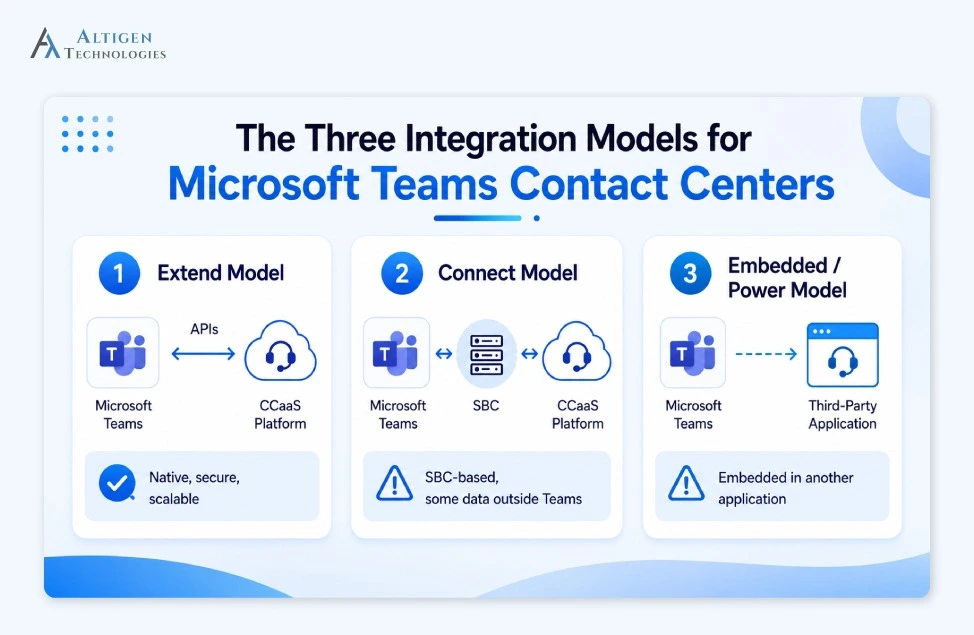
1. The Extend Model
The Extend model is the most scalable option for businesses planning long-term growth.
In this model, the contact center solution integrates directly into Microsoft Teams through APIs while Teams remains the primary communication interface for agents. Many Teams-native platforms use Microsoft Graph APIs to access Teams communication data, user presence, collaboration workflows, and messaging capabilities directly within the Microsoft ecosystem.
The key benefits include:
- Lower latency and better call quality
- Native Teams experience for agents
- Stronger security and compliance
- Easier scalability and customization
- Reduced platform switching
This model works well for organizations that want a fully integrated Teams customer service platform.
2. The Connect Model
The Connect model links Teams with a CCaaS platform through Session Border Controllers (SBCs).
While easier to deploy initially, this approach has limitations:
- Some communication data passes outside Teams
- Reduced flexibility
- Higher integration complexity over time
- Limited omnichannel functionality
This approach is often suitable for smaller voice-focused environments with simpler requirements.
3. The Embedded (Power) Model
This model embeds Teams communication capabilities inside a third-party contact center application. The Extend model offers the best balance of scalability, performance, and long-term flexibility for most businesses building a scalable contact center solution.
How to Build a Scalable Contact Center Platform on Microsoft Teams
Microsoft reported more than 20 million Teams Phone PSTN users, which shows rapid adoption of Teams-based calling and contact center infrastructure. Here is a step-by-step process to create a scalable contact center solution on Microsoft Teams.
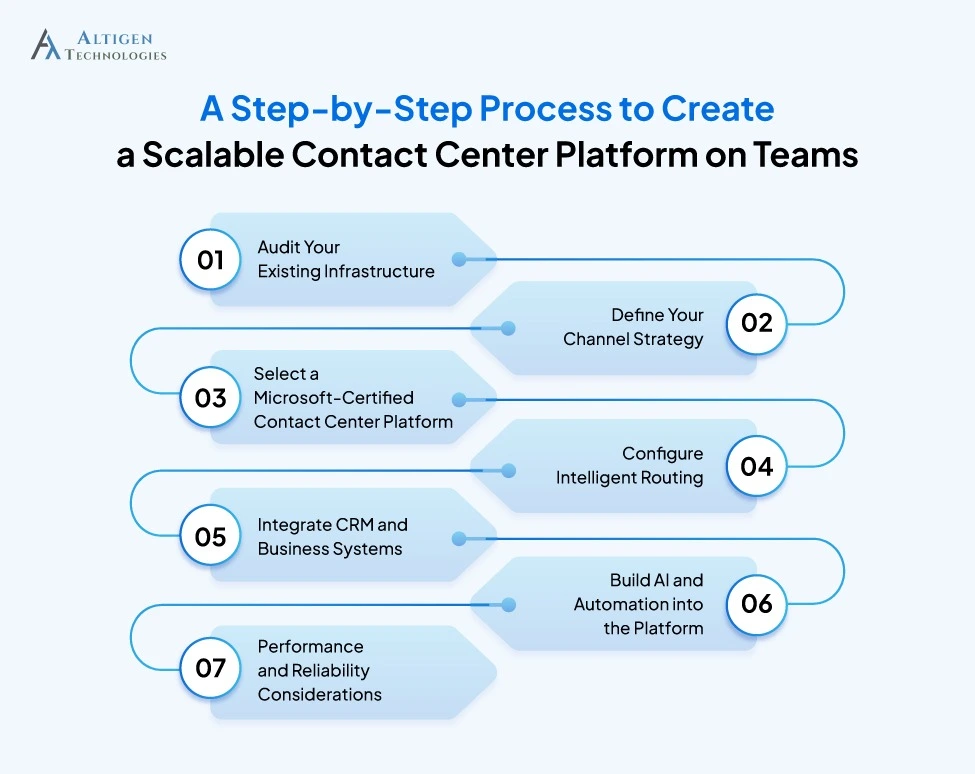
Step 1: Audit Your Existing Infrastructure
Before selecting any platform, businesses should evaluate their current communication environment. A technology consulting partner can assess all existing systems and identify dependencies. This helps mitigate integration risks early in the process. This audit includes:
- Existing PBX systems
- SIP trunking setup
- Direct routing configurations
- CRM platforms
- Helpdesk software
- Workforce management tools
- Compliance requirements
If your organization operates in regulated industries such as healthcare or finance, compliance requirements like HIPAA, PCI DSS, GDPR and SOC 2 should be identified early.
Step 2: Define Your Channel Strategy
Customer expectations have changed significantly over the last few years.
According to Salesforce research, 79% of customers expect consistent interactions across channels but the reality is 55% of customers feel that they are communicating with a separate department.
Today, customers communicate through multiple channels. They may start with chat, continue through email, and escalate to voice support.
A modern cloud contact center platform should support:
- Voice
- Live chat
- SMS
- Social messaging
- Video support
Businesses should focus on communication channels based on customer behavior rather than adding every available option. The goal is to create seamless communication across channels.
Step 3: Select a Microsoft-Certified Contact Center Platform
Every Teams-compatible platform does not deliver the same level of integration. Choosing the wrong vendor often creates long-term operational limitations that are difficult to reverse later. That’s why, when evaluating vendors, businesses should focus on:
- Microsoft certification
- Omnichannel support
- AI capabilities
- CRM integrations
- Reporting functionality
- Security certifications
- Scalability limits
- Uptime SLAs
Here are some questions you can ask vendors to evaluate long-term reliability, scalability, security, and operational fit before making a decision.
- Can the platform support future scaling requirements?
- How does failover work during outages?
- Does the platform support AI-powered routing?
- What compliance certifications are available?
- How are recordings stored and protected?
Suggested Reading: Guide to Choosing Contact Center Solutions for Microsoft Teams
Step 4: Configure Intelligent Routing
As support volumes grow, routing becomes critical to customer experience. Traditional queue-based routing leads to longer wait times, repeated transfers, poor first-call resolution and frustrated customers. Modern Teams contact center platforms use intelligent routing to improve efficiency.
Capabilities may include:
- Skills-based routing
- Intent-based routing
- Priority routing
- Overflow routing
- Business-hours automation
- AI-powered customer intent analysis
AI-driven routing helps businesses connect customers with the right agent faster while reducing unnecessary escalations.
Step 5: Integrate CRM and Business Systems
Disconnected customer data is one of the biggest causes of poor service experiences. When agents constantly switch between systems, response times increase and customer conversations lose context.
CRM integration helps create a unified customer experience by bringing customer information directly into the Teams interface. The common integrations include:
- Salesforce
- Microsoft Dynamics 365
- ServiceNow
- Zendesk
The key benefits of CRM-connected contact center platforms include:
- Faster customer identification
- Reduced handle times
- Better personalization
- Full interaction history visibility
- Improved agent productivity
Step 6: Build AI and Automation into the Platform
AI is now a core component of scalable contact center operations. IBM reports that 71% of executives expect AI-powered automation to support touchless customer support inquiries by 2027.
Modern AI capabilities go beyond basic chatbots, with many organizations using Azure Communication Services for programmable voice, SMS, video, and customer interaction workflows within Teams contact centers.
Businesses should look for features such as:
- AI-powered virtual agents
- Real-time transcription
- Sentiment analysis
- Suggested agent responses
- AI-generated call summaries
- Automated quality monitoring
Automation helps reduce repetitive tasks, improve agent efficiency and customer experience. For growing businesses, AI also improves scalability without increasing headcount.
Step 7: Performance and Reliability Considerations
Many businesses focus heavily on features but overlook network readiness and performance optimization. Poor audio quality, latency, and downtime impact customer satisfaction. To maintain performance at scale, businesses should evaluate:
- Network bandwidth capacity
- QoS (Quality of Service) configuration
- Geographic routing optimization
- Failover planning
- Redundant connectivity
Businesses should also establish disaster recovery plans before deployment rather than after service disruptions occur.
Common Mistakes Businesses Should Avoid When Building Contact Center Platforms
Many Teams-based contact center deployments fail because organizations focus only on features rather than long-term scalability.
Some of the most common mistakes include:
- Choosing a Teams-compatible platform instead of a truly Teams-native solution
- This often creates fragmented workflows and inconsistent user experiences.
- Skipping network readiness assessments
- Even strong platforms perform poorly on unstable networks.
- Adding communication channels without unified context
- Omnichannel communication only works when customer history follows the conversation across every channel.
- Ignoring future scalability requirements
- A platform that supports 100 agents today may struggle when the business grows to 1,000 agents later.
- New systems fail when agents are not properly trained or do not trust the workflows.
Who Should Build a Contact Center Platform on Microsoft Teams?
A Teams-based contact center platform works particularly well for organizations that already operate within the Microsoft ecosystem.
This includes:
- Businesses using Microsoft 365 extensively
- Organizations with hybrid or remote teams
- Companies scaling customer support operations
- Enterprises seeking to consolidate communication platforms
- Industries with strict compliance requirements
Teams-based contact center solutions are especially valuable for businesses looking to simplify operations without sacrificing scalability or customer experience.
Suggested Reading: How to Transform Microsoft 365 into a Contact Center Platform
Final Takeaway
Microsoft Teams has evolved beyond internal collaboration. With the right cloud contact center platform, it can support enterprise-grade customer communication, omnichannel engagement, AI automation, and scalable support operations.
The key is building the right architecture from the beginning. Altigen’s CoreEngage helps businesses build a scalable contact center platform on Microsoft Teams with omnichannel support, intelligent routing, AI-powered automation, and enterprise-grade reliability.
Book a Demo to see how CoreEngage helps businesses scale customer communication on Microsoft Teams.
Frequently Asked Questions
A Teams contact center platform enhances Teams with intelligent routing, omnichannel support, CRM integration, and AI automation to manage customer communication at scale.
A Teams-compatible platform connects to Teams from the outside. A Teams-native platform is built within the Teams architecture, giving agents a unified experience without switching between systems.
The Extend model is the most suitable option. It integrates the contact center directly into Teams through APIs, keeping agents in one interface with stronger security and lower latency.
CRM integration gives agents complete customer context before every interaction, including account history, previous tickets, and open requests. This reduces handle times and eliminates the need to switch between systems.
You should assess omnichannel support, AI capabilities, CRM integrations, uptime SLAs, security certifications, and whether the platform can scale beyond your current agent count.
Teams-based contact centers are a great choice for organizations using Microsoft 365 and Teams, remote or hybrid teams, and businesses looking for a unified contact center.