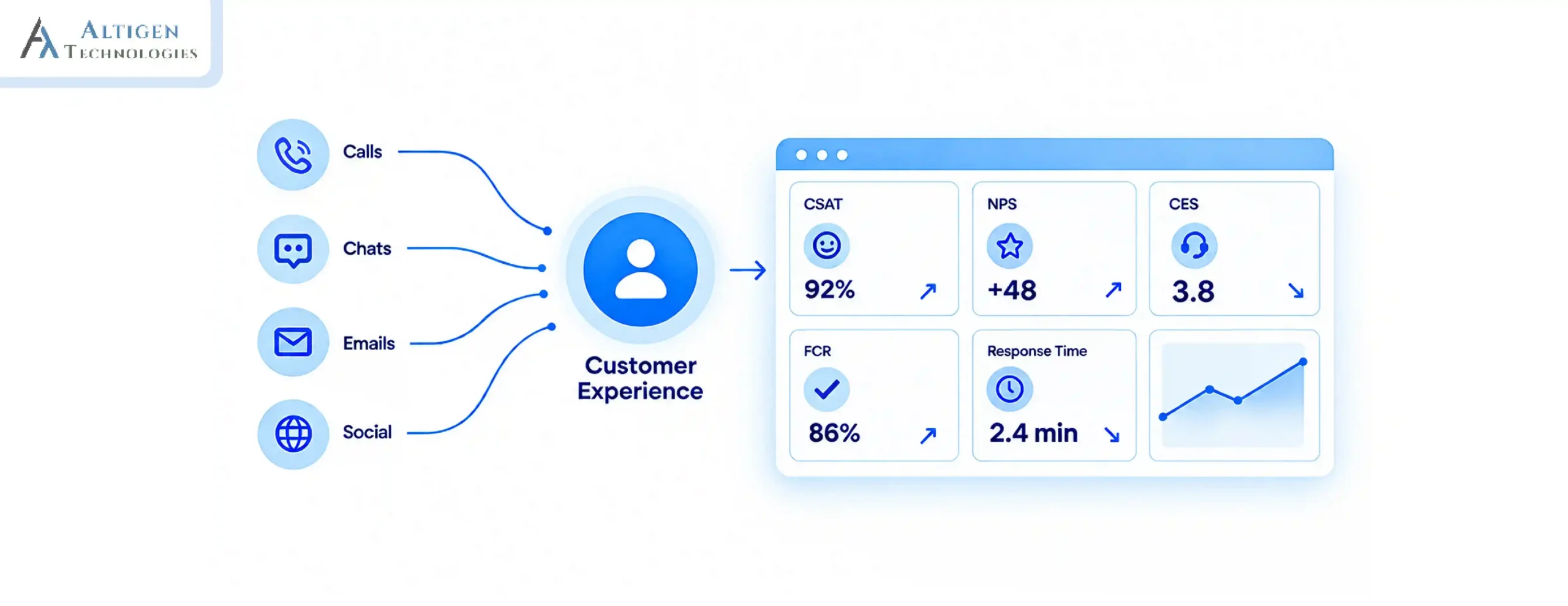
Poor communication impacts productivity, increases stress, and results in missed deadlines. According to Grammarly’s 2024 State of Business Communication report, 41% of workers say poor communication lowers their productivity, 51% say it increases stress, while 26% say it causes them to miss deadlines.
The success of hybrid teams depends on effective communication, shared context, and reliable collaboration tools. When interactions are scattered across different platforms and channels like calls, chat, email, and meetings, teams miss critical updates and lose track. It impacts productivity and accountability. On the other hand, IT teams spend more time managing various tools. So, how to select the right communication tool for a hybrid team?
In this guide, we explain how to evaluate your options, compare essential capabilities, and select a platform that supports productive hybrid teams.
| TL;DR – Quick Takeaway Hybrid teams need a unified communication platform that supports office, remote, and frontline employees equally. When selecting a communication platform, you should evaluate features like async collaboration, integrations, security, AI capabilities, and administration. Calculate the total cost of ownership, including migration, training, integrations, and long-term IT management. Roll out the platform in phases with training, internal champions, and continuous feedback to maximize adoption. |
Why hybrid work need a modern business communication platform
Hybrid work demands a modern business communication platform because employees now work across different locations, devices, and work styles, making seamless communication and collaboration essential.
The top reasons include:
- Diverse workforce: Hybrid teams include office-based, remote, and frontline employees, each with different communication and collaboration needs.
- Equal access: Employees should have the same access to conversations, information, and decisions, regardless of where they work.
- Reduced proximity bias: A modern platform helps ensure remote employees stay visible and included in discussions, reducing the impact of proximity bias.
- Unified Communication: Bringing calls, messaging, meetings, and file sharing into one platform helps employees collaborate more effectively while reducing the need to switch between multiple tools.
4 reasons your current platform is not suitable for hybrid team
These four signs indicate a structural communication gap. Before evaluating new platforms, see how many apply to your team.
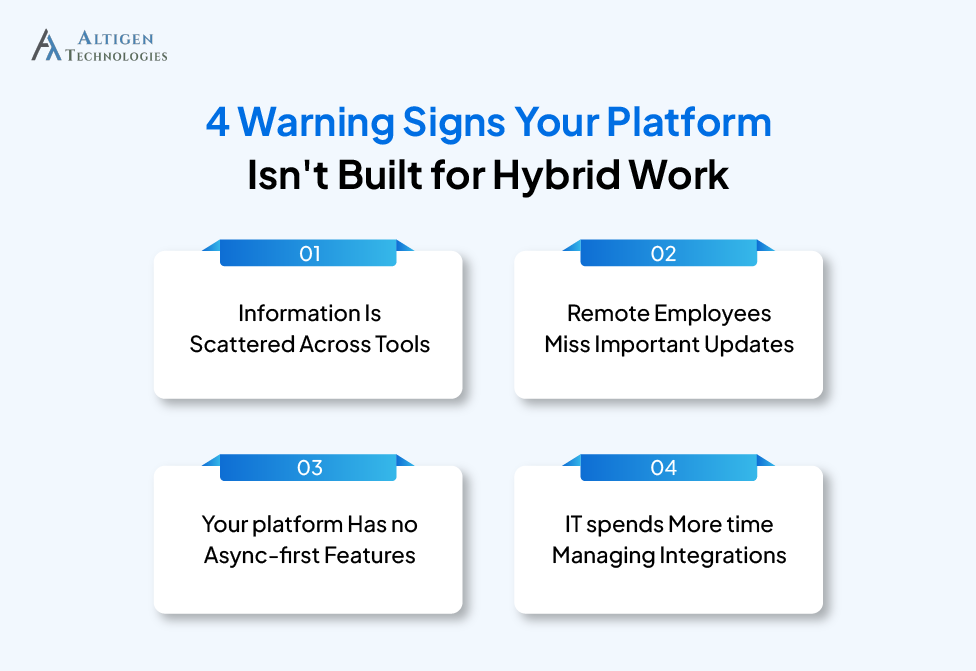
1. Information is scattered across tools
Your in-office team uses one set of channels. Your remote team uses another. Nobody has a single source of information. Critical updates live in an email thread that half the team never saw.
2. Remote employees miss important updates
Leadership changes, project pivots, strategic decisions: your remote team finds out from a Slack message posted hours after the fact, not from being in the conversation. Research shows that 71% of employees are unsatisfied with the quality of internal communications. This shows the challenges organizations face to hybrid teams aligned and informed.
3. Your platform has no async-first features
No meeting recordings. No transcripts. No threaded conversations with full context. Everything defaults to a live call, which punishes employees in different time zones and those who need time to process before contributing.
4. IT spends more time managing integrations
86% of employees and executives cite poor communication or collaboration as the root cause of workplace failures, costing businesses $10,000–$55,000 per employee annually in wasted time, errors, and missed deadlines. That cost grows further when the IT team has to manage five disconnected tools instead of one unified platform.
7 essential features to consider when selecting hybrid-ready business communication platform
Generic evaluation criteria like security, scalability, and price aren’t enough. Here’s what actually matters when your team is split between the office, home, and the field.
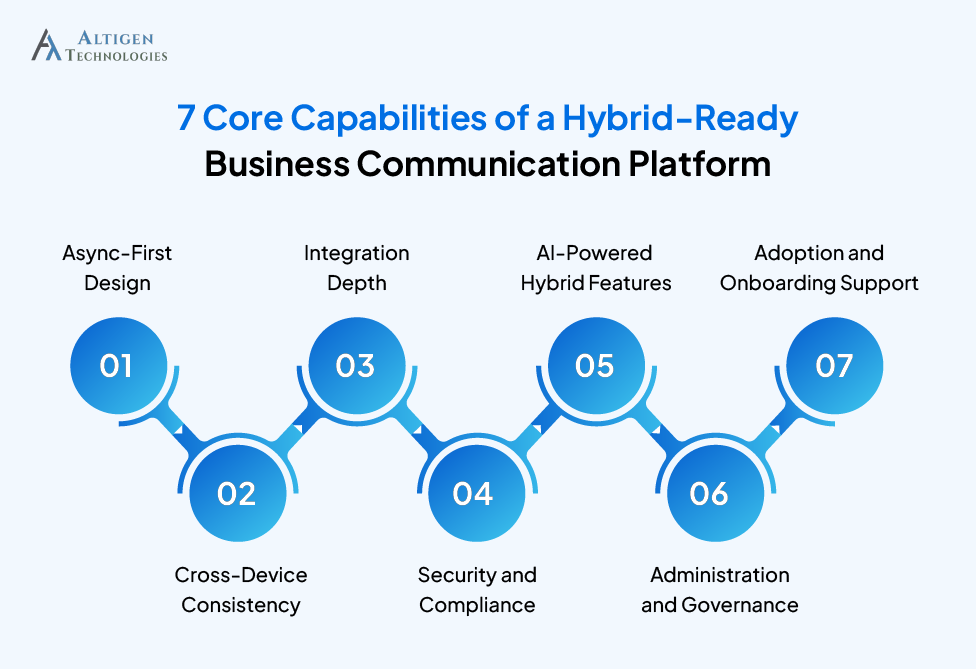
1. Async-first design
A hybrid-ready business communication platform should support asynchronous collaboration as well as synchronous meetings. Employees should be able to share updates, make decisions, and access context without requiring everyone to be online at the same time.
Look for a tool that offers threaded conversations with full context, searchable message history, video messaging, and AI-generated meeting summaries that help employees catch up quickly instead of watching lengthy recordings.
Async-first design is especially valuable for organizations with distributed teams, flexible schedules, or employees working across multiple time zones.
2. Cross-device consistency
Desktop performance is not the only criteria when evaluating a hybrid communication system. Employees working from customer sites, airports, or home offices rely on mobile devices to stay connected. That’s why delivering a consistent experience across desktop, mobile, and web applications is essential.
Evaluate whether the platform offers the same functionality across various devices and platforms along with offline access where appropriate and reliable notifications. Before making a decision, test the mobile experience yourself rather than relying on vendor claims.
3. Integration depth
“Integrates with 200+ apps” is a marketing line. Deep integration is more important than a large number of integrations. A business communication platform should connect seamlessly with the systems employees already use.

Choose a tool that offers native integrations with:
- Your CRM (Salesforce, HubSpot)
- Your HRIS (Workday, BambooHR)
- Your project management stack (Asana, Jira, Monday.com)
- Your document ecosystem (Google Workspace or Microsoft 365)
Shallow integrations that only send notifications which is not enough. You want bi-directional data flow.
4. Security and compliance
Security and compliance are critical requirements when evaluating a business communication platform. For hybrid teams, especially those with remote workers across multiple countries, data privacy and compliance requirements vary by region.
Minimum requirements:
- SOC 2 Type II certification
- ISO 27001 compliance
- GDPR-ready data controls
- Role-based access control (RBAC)
- End-to-end encryption for messages and calls
If your business operates in healthcare or financial services, check for HIPAA or PCI-DSS compliance to that list and ask vendors for their compliance documentation before the demo.
5. AI-Powered hybrid features
75% of knowledge workers now use AI at work, 90% say it saves them time, 85% say it helps them focus on their most important work, and 84% say it boosts creativity.
These findings show how AI features reduce meeting fatigue, improve accessibility, and help hybrid teams stay aligned with important updates even if they miss the meetings.
Look for AI features that solve the real challenges hybrid teams face.
- Meeting summaries and action items: so remote employees who missed a live meeting can get full context in under two minutes
- Real-time transcription: makes every meeting accessible and searchable
- Smart notifications: AI that knows not to interrupt a deep work block with a low-priority ping
- Async video transcription: turns video messages into searchable text
6. Administration and governance
For most organizations, IT teams are responsible for administering communication platforms alongside many other business systems. If a platform requires dedicated specialists or excessive manual administration, it increases operational overhead and slows user support.
Look for a clean admin console, self-service user provisioning, granular permission settings, data retention policies, and audit logs. The platform should make IT’s job easier, not add to the ticket queue.
7. Adoption and onboarding support
A communication platform is effective when employees use it consistently. Before making a decision, evaluate how each vendor supports implementation, onboarding, and user adoption beyond the initial deployment.
Key questions you should ask the vendors:
- How long does a typical implementation take?
- What onboarding and training are included?
- What support do you provide after deployment?

Total cost of ownership: what nobody tells you about platform costs
Licensing is only one part of the investment. The total cost of ownership includes several expenses that are easy to overlook.
The full TCO picture includes:
- Licensing: Per-seat or per-user subscription (typically $10–$40/user/month for UCaaS)
- Integration development: Custom API work to connect your existing tools
- Admin training: Time and cost to upskill your IT team on the new platform
- Productivity loss during migration: The dip in output during the 30–90 days post-switch is real and rarely planned for
- Change management: Internal communications, training sessions, documentation
The cost benefits of replacing multiple tools with one platform
The right platform can replace multiple communication and collaboration tools. Instead of paying for separate solutions for calling, video meetings, messaging, file sharing, and project updates, companies can get these capabilities into a single UCaaS platform.
Before approving a budget, ask your current vendors what you’d save by canceling underused tools. That number often offsets more of the new platform cost than expected.
Questions to ask every vendor before signing:
- What does data migration look like, and is it included?
- Is there a minimum contract term, and what are the exit clauses?
- What happens to our data if we leave?
- What integrations require additional fees beyond the base license?
Suggested Reading: Cloud Contact Center Migration Guide
How to implement a new communication platform successfully
The most effective way to implement a new communication platform is through a phased rollout and training.
71% of employees report being unsatisfied with the quality of internal communications. A new platform doesn’t automatically fix that. The phased rollout strategy is helpful.
The phased rollout model:
Phase 1. Pilot group (weeks 1–4)
Choose a single team or department that’s representative of your hybrid mix, some in-office, some remote, ideally including a frontline worker. Run the platform for real work, not a demo. Collect honest feedback at the end of week two and week four.
Phase 2. Department rollout (weeks 5–10)
Incorporate feedback from the pilot before expanding to other departments. Resolve critical issues first, then continue improving the platform as adoption grows.
Phase 3. Company-wide (weeks 11–16)
By this point, you have employees who are familiar with the platform, your configuration has been refined based on real user feedback, and you have a support structure that doesn’t depend entirely on IT.
The 90-day benchmark
Healthy platform adoption at 90 days looks like: 70%+ of users logging in at least three times per week, message volume migrating away from email for internal communication, and meeting counts either stable or declining (a sign async features are working).
Build a feedback loop from day one: Run a brief pulse survey at 30, 60, and 90 days. Ask what’s working, what isn’t, and what’s still happening in a tool the platform was supposed to replace. The platform should evolve with how your team actually works, not the other way around.
Wrapping up
Choosing a business communication platform for a hybrid workforce is an infrastructure decision that determines whether your remote employees have equal access to information, visibility, and opportunity.
If you’re modernizing your communication infrastructure, Altigen’s MaxCloud UC can be an ideal platform. It is a UCaaS solution that brings calling, messaging, video meetings, and collaboration together in a single cloud-based platform. From deployment and migration to user adoption and ongoing support, Altigen helps ensure a smooth transition with minimal disruption to your business.
Contact Altigen to discuss your communication requirements and find the right solution for your hybrid workforce.
Frequently asked questions
A business communication platform is a cloud-based system used by employees to communicate and collaborate. It offers voice, video, messaging, and file sharing in a single interface. Modern platforms are usually delivered as UCaaS (Unified Communications as a Service).
A unified communication platform brings calling, messaging, video meetings, and collaboration into a single system. This reduces the need to switch between multiple apps, keeps conversations and information in one place, and helps hybrid teams collaborate more effectively regardless of where employees work.
The 5 C’s of business communication are clear, concise, concrete, correctness and complete. This communication framework is used to ensure messages are easy to understand and impactful.
UCaaS covers the full communication stack, including calling, video conferencing, messaging, and presence for all employees. Team messaging apps like Slack are primarily async and channel-based, with voice and video as secondary features or not available. UCaaS is better suited to hybrid organizations that need to replace a phone system and support meetings alongside messaging.
You should focus on async-first design, mobile parity, searchable message history, and AI meeting summaries. Remote employees need to be able to participate fully without being online at the exact same time as their in-office colleagues.
UCaaS platforms usually cost $10–$40 per user per month depending on tier and features. Always calculate total cost of ownership, including integration work, admin training, and migration costs, not just the per-seat price.