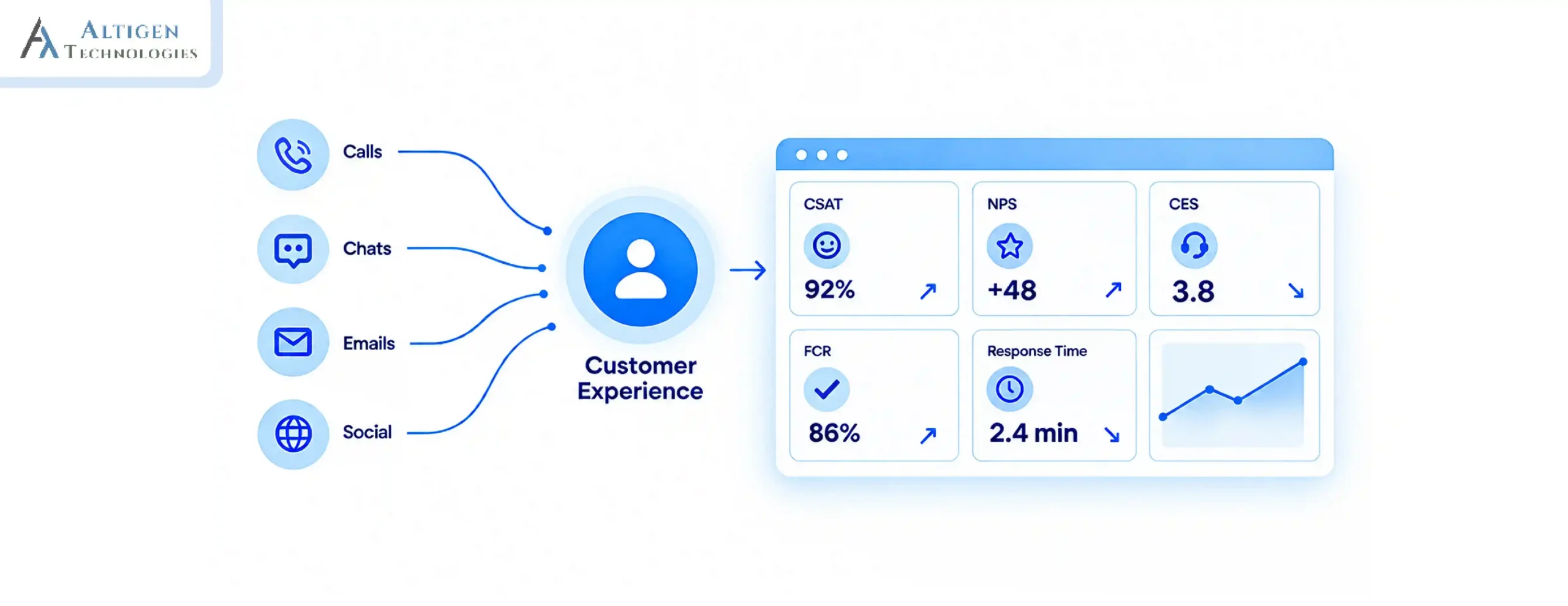
Migrating your legacy PBX contact center to a cloud-based solution is essential to transform customer experience. The reason is that almost every business is adopting this modern technology to provide an omnichannel customer experience.
According to Markets and Markets, the global cloud-based contact center market was valued at $26.2 billion in 2024 and is projected to hit $86.4 billion by 2029, growing at a CAGR of 26.9%. But migration may cause business disruption.
How can you ensure a seamless migration? In this guide, we walk you through the steps to migrate from a PBX to a cloud contact center.
| TL;DR The Challenge: Legacy PBX systems were built for voice in a fixed location. They can’t support remote agents, digital channels, or the seamless experiences customers expect today. The Key Considerations: Successful migration depends on more than moving phone numbers. Network readiness, CRM integration, routing logic, AI capabilities, and change management all play a critical role. What You’ll Take Away: A step-by-step migration framework, guidance on avoiding common pitfalls, and practical recommendations for planning a smooth transition to a cloud contact center. |
What Is a Cloud Contact Center and How It Is Different from PBX Call Center
A cloud contact center is a hosted contact center platform where all infrastructure, including telephony, routing, analytics, AI, and integrations, lives in the cloud rather than on physical hardware.
Unlike a PBX, which handles voice only from a fixed location, a cloud contact center manages every customer channel in one unified system: voice, chat, email, SMS, WhatsApp, and social media. Here are the major differences between on-premise PBX and cloud contact center solutions.
| Factor | On-Premises PBX | Cloud Contact Center |
| Infrastructure | Physical hardware on-site | Cloud-hosted, no hardware |
| Channels | Voice only | Omnichannel |
| Scalability | Manual, hardware-dependent | On-demand |
| Remote agents | Limited or unsupported | Fully supported |
| Maintenance | In-house IT | Managed by the provider |
| Cost model | CapEx (upfront) | OpEx (subscription) |
Why Businesses Are Moving Away from Legacy PBX
Here are the key reasons why businesses are leaving legacy PBX and moving to cloud contact center solutions.
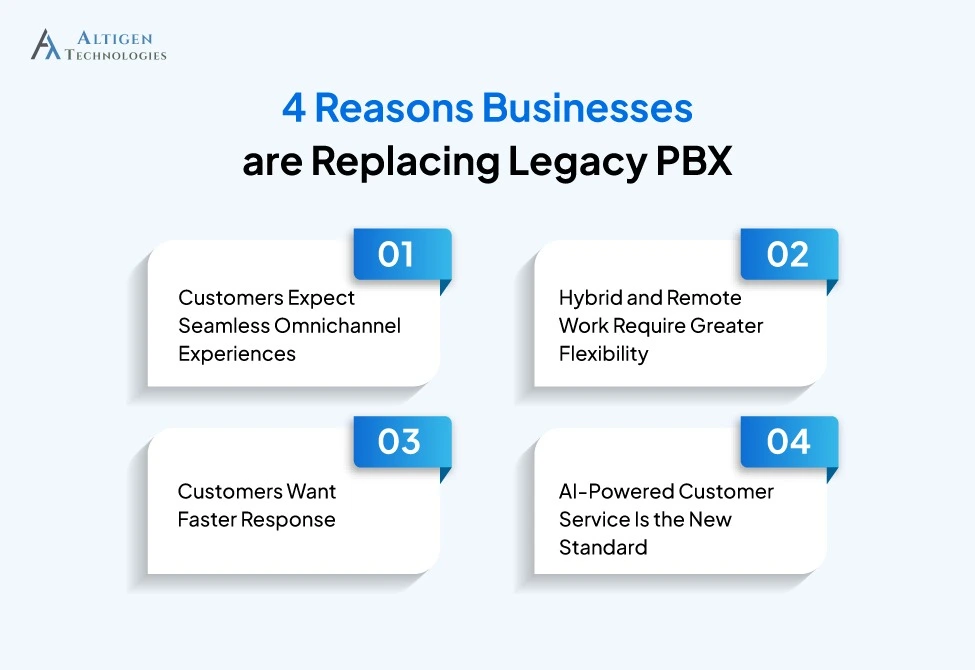
1. Customers Expect Seamless Omnichannel Experiences
Over 73% of consumers use multiple channels throughout their customer journey.
A PBX contact center handles only voice. You need a separate tool for chat, email, and social media, which means agents switching between systems and customers having to repeat themselves.
2. Hybrid and Remote Work Require Greater Flexibility
As remote and hybrid work has become normal, businesses need flexible solutions that allow them to work from anywhere. PBX systems require agents to work from a fixed location, but a cloud phone system allows agents to work from anywhere, with no drop in call quality or access to customer data.
3. Customers Want Faster Response
According to a 2024 Salesforce study, 77% of customers expect immediate interaction when they contact a company. Legacy PBX has no intelligent routing, no AI-assisted queuing, and no real-time customer context. It simply routes calls.
4. AI-Powered Service Is the New Standard
PBX infrastructure cannot offer modern AI capabilities, including voicebots, sentiment analysis, and agent assist, without expensive custom workarounds. Cloud-based contact center software makes these AI capabilities readily accessible.
How to Migrate from PBX to a Cloud Contact Center: Step-by-Step Process
Migrating from a PBX system to a cloud contact center requires a structured approach to reduce operational risk and ensure a smoother go-live experience. Here is a step-by-step process.
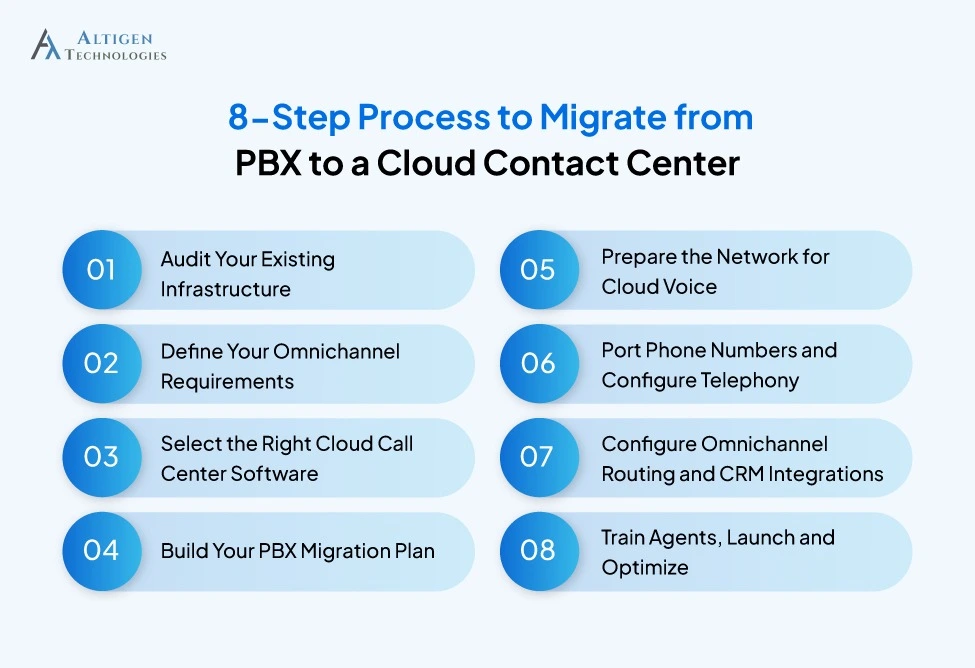
Step 1. Audit Your Existing Infrastructure
Before planning the migration, document your existing contact center environment. This gives a clear picture of your current dependencies, integration requirements, and potential risks before any changes are made. Here are the things you should assess.
- PBX hardware model, age, and vendor support status
- All SIP trunks, carriers, and active phone numbers
- Current CRM, ticketing, and WFM integrations
- Communication channels in use today
- Call volumes, peak hours, and SLA baselines
- Contract end dates and porting readiness
Step 2. Define Your Omnichannel Requirements
The next step is to determine which customer channels your new contact center needs to support. Is it voice, chat, email, SMS, WhatsApp, or social media? Besides this, ask these questions.
- Do customers need to continue across channels without repeating themselves?
- What CRM data must agents see during a live interaction?
- Do you need outbound dialers, campaigns, or proactive notifications?
- What are the compliance requirements: HIPAA, PCI-DSS, GDPR?
- Which interactions could be automated through chatbots, voicebots, or self-service workflows?
- Do agents need AI-assisted features such as real-time recommendations or automated summaries?
Step 3. Select the Right Cloud Call Center Software
This is the most critical decision because selecting the wrong platform means you will waste money and critical time. It can also disrupt your business operation. Select cloud call center software that aligns with your operational and integration requirements. Evaluate the following criteria before selecting:
- Omnichannel capabilities
- CRM integration depth
- Real-time analytics
- AI-powered routing and intent detection
- AI-powered real-time recommendations and knowledge suggestions
- Automatic call summarization and transcription
- Compliance and security controls
Suggested Reading: Guide to Choosing a Teams Contact Center Solution
Step 4. Build Your PBX Migration Plan
Once you have selected a platform, the next step is deciding how the migration will be executed. A well-defined migration plan helps minimize disruption, reduce risk, and ensure customers continue to receive support throughout the transition.
Most organizations choose one of three approaches:
- Full cutover: Move all users, numbers, and workflows to the new platform at once.
- Phased migration: Migrate specific teams, departments, or locations in stages.
- Parallel run: Operate the PBX and cloud contact center simultaneously until the new environment is fully validated.
The right approach depends on factors such as business size, integration complexity, risk tolerance, and contract commitments with existing providers.
Your migration plan should also define:
- Number porting schedules and key milestones
- Testing and validation checkpoints
- Roles and responsibilities across IT, operations, and vendors
- Rollback procedures in case issues arise during deployment
- Success criteria for each migration phase
Step 5. Prepare the Network for Cloud Voice
Network readiness plays a critical role in cloud contact center performance. It directly impacts call quality, agent efficiency, and customer experience. Before deployment, ensure that your infrastructure can handle voice traffic without affecting performance.
Key areas to evaluate include:
- Bandwidth capacity based on expected concurrent call volumes
- QoS settings to prioritize voice packets over other network traffic
- Firewall rules and SIP ALG configurations
- Latency, jitter, and packet loss across all sites
- Connectivity for remote and hybrid agents
Resolving network bottlenecks before launch reduces the risk of poor voice quality, dropped calls, and service disruptions once the platform is live.
Step 6. Port Phone Numbers and Configure Telephony
With the network ready, the next phase is moving your phone numbers and telephony services to the new cloud platform. Number porting often takes longer than expected because it involves coordination between carriers, so it should be planned well in advance of go-live.
During this stage:
- Port numbers in phases rather than moving everything at once
- Keep primary customer-facing and business-critical numbers for the final migration wave
- Configure dial plans, call routing policies, and user assignments
- Test inbound and outbound calling across different scenarios
- Verify emergency calling and location-based routing requirements
Step 7. Configure Omnichannel Routing and CRM Integrations
Once your telephony environment is configured, the next step is to design how customer interactions move through the contact center. Effective routing and CRM integrations ensure customers reach the right agent quickly while providing agents with the context they need to resolve issues efficiently.
The key areas to configure include:
- IVR menus and self-service options
- Skills-based routing and queue priorities
- Chat, email, and messaging channel routing
- Escalation paths from bots to agents and supervisors
- CRM screen pops and customer record access
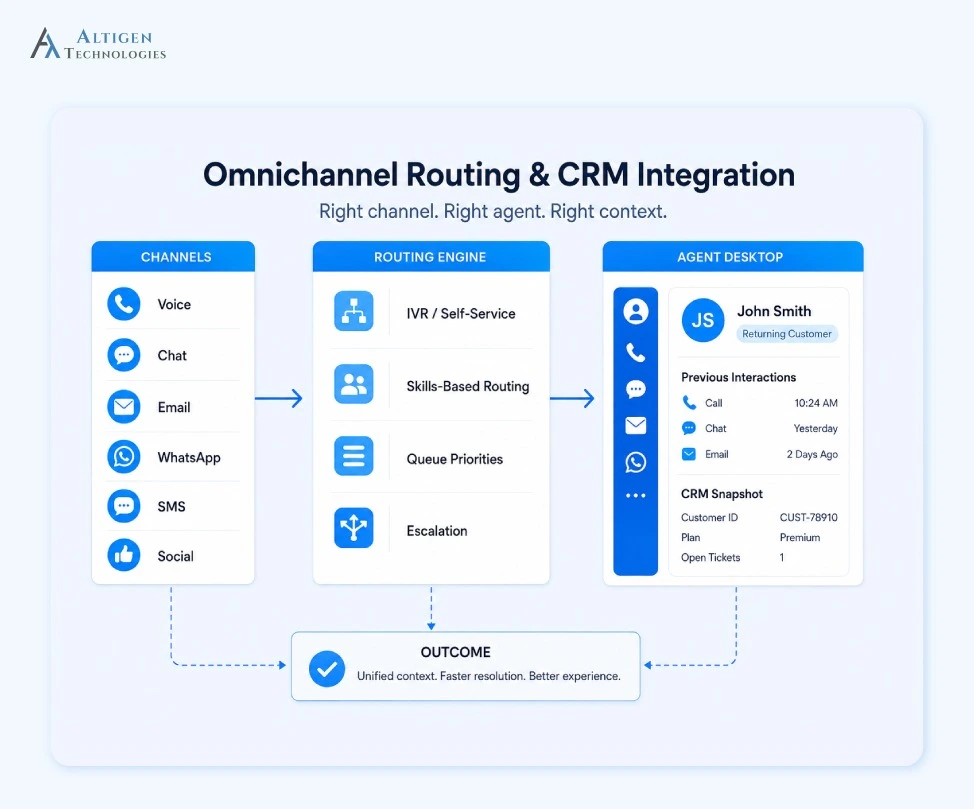
When a customer moves from chat to a phone call or from email to live support, agents should have immediate access to the previous conversation history. This improves resolution times and creates a more consistent customer experience.
Step 8. Train Agents, Launch and Optimize
Without proper training, testing, and post-launch optimization, even the best cloud contact center platform can fail. Before a full rollout, run a pilot with a small group of agents to validate workflows, integrations, reporting, and overall user adoption.
Monitor key performance metrics after go-live, including:
- First Contact Resolution (FCR)
- Average Handle Time (AHT)
- Queue Abandonment Rate
- Customer Satisfaction (CSAT) Score
The first 90 days after go-live should focus on optimizing platform performance:
- Day 30: Validate routing logic, resolve network issues, and stabilize agent adoption.
- Day 60: Fine-tune CRM integrations, deploy reporting dashboards, and begin structured coaching programs.
- Day 90: Verify omnichannel context continuity, expand AI capabilities, and establish KPI baselines for continuous improvement.
Common PBX Migration Challenges and How to Prevent Them
Migrating from legacy PBX to the cloud involves several challenges that affect timelines, customer experience, and adoption. Here are the key challenges, root causes, and ways to prevent them.
| Challenge | Root Cause | Prevention |
| Number porting delays | Bulk porting attempted at once | Port in batches; non-critical lines first |
| Poor voice quality | Network not tested pre-migration | Run QoS and bandwidth tests before go-live. |
| Fragmented CRM data | Integrations rushed or skipped | Complete CRM integrations and testing before go-live |
| Low agent adoption | Training treated as a one-time event | Structured pilot with ongoing feedback |
| Weak routing | IVR built without customer journey mapping | Map real call drivers before building IVR |
| No rollback plan | Assumption go-live will go smoothly | Document rollback criteria before launch |
Is Your Business Ready to Migrate Right Now?
Your business may be ready for a cloud contact center migration if:
- Your PBX contract is expiring within the next 12 months
- Maintenance costs are increasing year over year
- Agents work remotely or across multiple locations
- Customers increasingly use channels your PBX cannot support
- Competitors are already delivering omnichannel experiences
Red flags to address before starting your migration:
- CRM data fragmented across systems with no single owner
- Active compliance audit in progress
- No executive sponsor identified for the migration
- IT team fully committed to other projects
- Undefined business goals or success metrics for the migration
- Outdated customer data that requires cleansing before migration
- Lack of a user adoption and training plan
Final Takeaway
PBX migration helps businesses improve customer experiences, increase agent productivity, and build a contact center that scales with changing business needs.
The above steps give you a clear roadmap to plan your migration, minimize disruption, and optimize performance after your cloud contact center goes live.
Altigen CoreEngage is a Microsoft Teams-native cloud contact center software that allows businesses to migrate from a PBX environment to the cloud. It offers omnichannel routing, deep CRM integration, AI automation, and certified Teams integration in a single hosted contact center solution.
Contact Altigen to start planning your migration.
Frequently Asked Questions
A PBX manages internal phone routing on-premises. A hosted contact center manages customer interactions across all channels with routing intelligence, CRM integration, analytics, and AI, all delivered via cloud subscription.
Full cutover for a small team: 8–12 weeks. Phased migration for a multi-site enterprise: 12–24 weeks. Number porting alone requires 2–4 weeks minimum.
Teams Phone replaces the calling and voicemail functions of a PBX. A certified cloud call center software platform is still required for omnichannel routing, CRM integration, analytics, and contact center-grade capabilities.
Yes, businesses can retain their existing phone numbers through number porting. To minimize disruption, you can port numbers in phases, starting with non-critical lines before migrating critical ones.
Yes, Teams Phone covers calling infrastructure. Cloud call center software covers intelligent routing, omnichannel support, CRM integration, AI automation, analytics, and compliance.
It depends on your telephony architecture. Organizations using Microsoft Teams Direct Routing or certain SIP environments may require an SBC to enable secure connectivity between their telephony infrastructure and the cloud contact center platform.
Yes. Cloud contact center platforms are designed to support remote and hybrid work, allowing agents to securely access the platform from any location.