
The head of customer experience at a company signs off on a new customer experience platform. The demo looked great. But after they purchased it, they realized the agents had to run two windows side by side, Teams on the left and the CX platform on the right, making it difficult to manage customer interactions.
The vendor was technically correct. The platform does integrate with Microsoft 365. It syncs contacts overnight and posts a notification into Teams when a ticket escalates. That is an integration. It is not the same as working inside Teams.
Salesforce found that 70% of agents at underperforming service organizations toggle between multiple screens to find what they need, compared with 36% at high performers. In this guide, we will explore how to select a customer experience platform that allows agents to work within Microsoft 365 and deliver better customer experiences.
In this guide, we will explore how to choose a Microsoft 365 customer experience platform that allows agents to work within Teams and deliver better customer experiences.
| TL;DR – A Quick Takeaway 1. When selecting a contact center solution, checking the depth of Microsoft 365 integration is important because it determines whether agents can actually work in Teams or still need another application. 2. Customer context should be available across the interaction, giving agents access to previous calls, emails, chats, and CRM information across channels. 3. A real-world test reveals more than a feature list, so evaluate the platform with actual agent workflows, customer journeys, reporting, and data requirements. |
Why deep Microsoft 365 integration is important for CX platforms
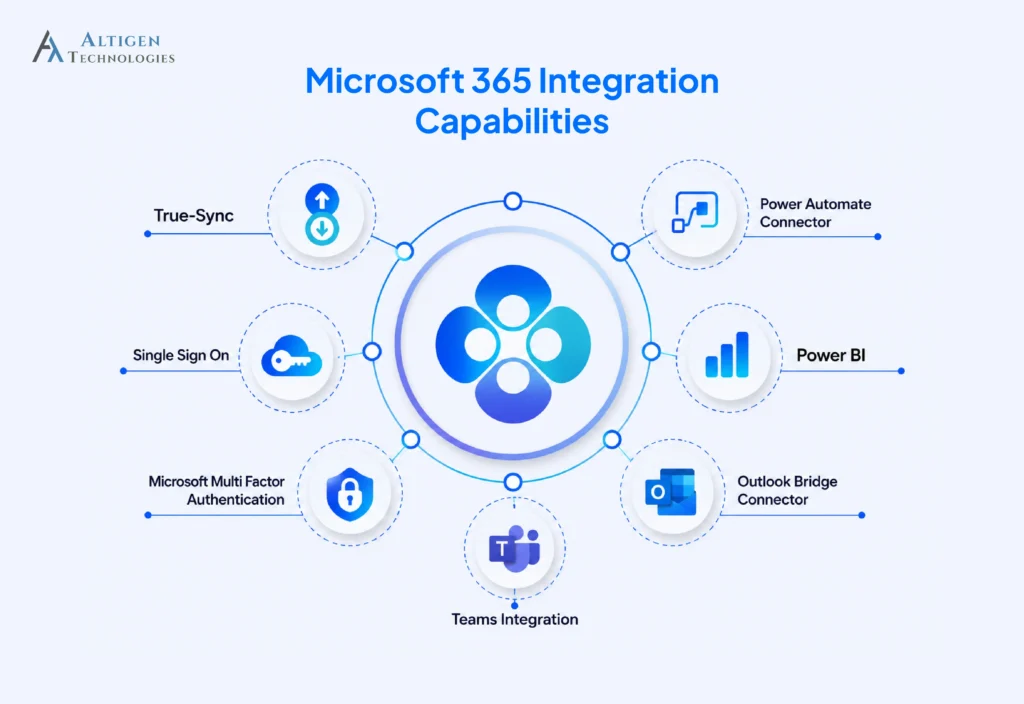
Microsoft 365 is already part of the daily workflow in many organizations. A customer experience software that integrates deeply with Microsoft 365 makes it easier for agents to access customer information, handle interactions, collaborate with colleagues, and complete their work without toggling between multiple applications.
- Reduce application switching: Agents can handle customer interactions and access the Microsoft 365 tools they already use without switching between applications.
- Give agents more customer context: Connecting customer interaction details can give agents a complete view of previous conversations and customer needs.
- Make it easier to access information: Agents can access relevant documents, knowledge, and internal resources without leaving their workflow.
- Improve visibility into CX performance: Combining customer interaction data with contact center operational data helps managers identify trends, monitor performance, and make better decisions.
How to choose a customer experience platform that integrates with Microsoft 365
Before selecting a platform, you need to define what your organization needs from a CX solution. This gives you a clear way to evaluate vendors. Assess the following, including:
- Customer interaction channels
- Agent workflows
- Microsoft 365 environment
- Customer relationship management (CRM)
- Reporting needs
Once you have defined these requirements, you can evaluate each platform against the factors that are important to your organization.
1. Microsoft 365 integration depth
Every vendor says their platform integrates with Teams. The real question is whether agents can handle contact center tasks within Teams or need to switch to another application, which can increase the time they spend navigating between screens and their average handle time (AHT).
For example, a financial services operations manager evaluating two platforms asked each vendor to demo an inbound call with the agent screen shared. One handled the call inside Teams. The other opened a browser tab. That live demo helped identify which tool offered a better agent experience.
Tools like Altigen CoreEngage keep the agent experience within Microsoft Teams, so agents can handle contact center interactions without moving to a separate application.
Suggested Reading: How Contact Center Software Reduces Agent Handle Time
2. Data residency and security
Interaction recordings, transcripts, and chat logs are customer data. Their storage location can affect your security, compliance, and data governance requirements.
Some platforms store this in the vendor’s cloud. Others store it in your own Azure environment with your encryption keys. For regulated sectors like healthcare, finance, and insurance, where customer data is stored can affect compliance reviews and whether the platform meets your organization’s security requirements.
Ask vendors to confirm data residency, storage controls, and encryption in writing before moving forward.
3. Omnichannel support
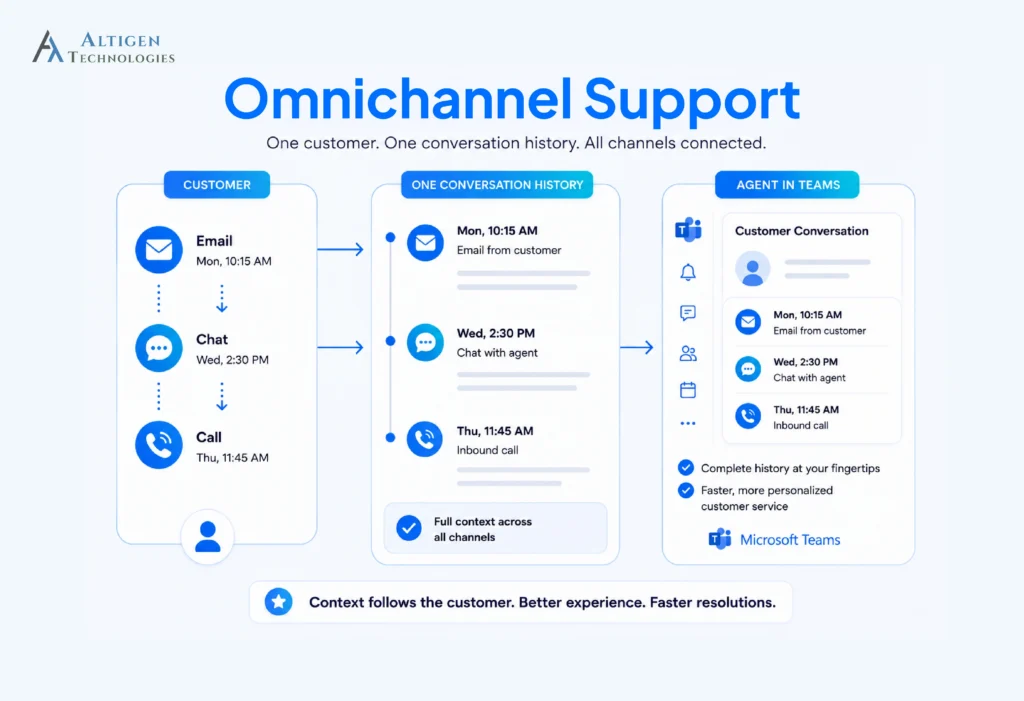
Nowadays, customers move between channels during the same interaction. The platform should carry that conversation history forward so agents can see previous emails, chats, and calls without searching across systems.
A customer may send an email first, start a chat later, and call the next day. When the customer calls, the agent should be able to see the earlier interactions and continue the conversation with the right context.
During a demo, test a customer journey across multiple channels and check whether the conversation history is accessible across channels. If agents have to search separate systems for previous interactions, the customer may have to repeat their query or complaint, which can affect the customer experience.
4. AI capabilities
AI can reduce the amount of routine work agents and supervisors handle during customer interactions. But you need to check how well those capabilities work in practice and whether they address the tasks that take up the most time.
Look for features such as:
- Conversation summaries that write the after-call notes
- Real-time sentiment flagging so supervisors can step in
- Live translation for multilingual queues
- Routing that reads intent rather than menu selection
Suggested Reading: How to Build an AI-Powered Contact Center on Microsoft Teams
5. Compliance Recording
Compliance recording provides call centers with a reliable record of customer interactions and helps them meet regulatory and internal requirements. Teams supports standard call recording, but compliance recording requires a certified third-party solution to capture and manage interactions according to regulatory requirements. When evaluating a platform, check if it supports:
- Automatic recording based on defined rules
- Role-based access to recordings
- Encryption for recorded calls
- Search and retrieval of specific recordings
- Recording controls for different teams or call types
6. CRM and Dynamics 365 integration
A CX platform may show customer information from Dynamics 365 when a call comes in, but that does not always mean agents can update the record from the same screen. If agents have to switch applications to add notes, record call outcomes, or update customer details, the integration adds another step to their workflow. Those extra steps can lead to delayed, incorrect, or missing interaction details.
During a demo, ask the vendor to show a real interaction using your CRM. Check whether agents can view the customer record, add interaction details, and update the record without leaving their workspace.
7. Scalability and licensing
A CX platform that works for 50 agents may not work the same way when you expand to 500 agents, add new channels, or enter another region. Licensing can also become a significant cost as usage grows, particularly when pricing is based on users, channels, or interaction volume.
Before choosing a platform, understand how pricing and deployment change as your requirements grow. Here are the questions you should ask:
- Is there a seat minimum requirement?
- Is pricing consumption-based, fixed per user, or both?
- How does the price change when you add a channel or a region?
- Can new teams, locations, and channels be added without major architectural changes?
The three architectures of Microsoft 365 integration
Microsoft 365 integration varies in depth. Some platforms keep agents in the CX application, while others bring key customer service workflows into Teams.
1. Standalone with sync
The CX platform runs entirely on its own infrastructure and exchanges data with Microsoft 365 on a schedule. Agents work in the vendor’s application. Customer data lives in the vendor’s cloud. The Microsoft connection is a data pipe.
2. Connector-based
The platform integrates through APIs and can post into Teams, read from Outlook, or pull a SharePoint file. Agents still work primarily in the vendor’s interface, but some context flows across. This is what most vendors mean by integrating with Microsoft 365.
3. Native
The platform is delivered as a Microsoft 365 or Teams app, so agents can access core workflows directly within Teams. Authentication can use Microsoft Entra ID, while reporting and data storage depend on the platform’s architecture. Some solutions can use Azure services for application data and integrate with Power BI for reporting.
Ask a vendor which of the three describes their product. The answer changes your agent training plan, your compliance review, and your reporting setup.
Common mistakes to avoid when choosing a CX platform for Microsoft 365
The most common mistakes businesses make when selecting a customer experience platform are overlooking how the platform works with Teams, data requirements, usability, reporting, and real-world deployment.
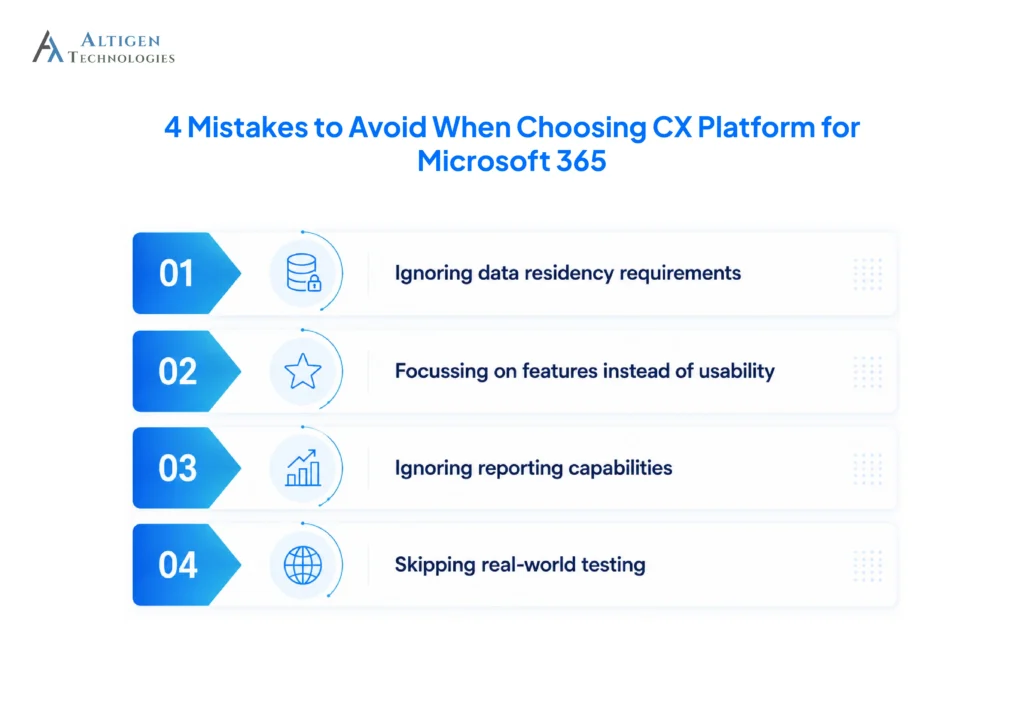
1. Ignoring data residency requirements
A platform may meet your functional needs but still create compliance issues if customer data is stored in locations your organization cannot use. Check where recordings, transcripts, and other customer data are stored before signing a contract.
2. Focusing on features instead of usability
Two platforms can offer similar features but handle the same customer interaction very differently. Test how each platform handles a real interaction from the initial contact through transfer, resolution, and follow-up.
3. Ignoring reporting requirements
A platform may provide detailed reports without making that data easy to use alongside your existing CX and business data. Check whether reports can feed your existing dashboards and analytics workflows.
4. Skipping real-world testing
A demo gives a basic understanding of how the tool works, but it does not capture the complexity of a real deployment with actual customers, agents, and workflows. Test the tool in real time and check the use cases before committing to a full rollout.
Final takeaway
A CX platform should integrate with Microsoft 365 to ensure agents have the tools, customer context, and information they need within the systems they already use. An integration that moves data between applications does little to improve the agent experience.
Altigen CoreEngage adds full contact center capabilities to Microsoft Teams, giving agents one workspace for voice, chat, email and social channels. It also provides Azure AI for summaries and customer sentiment, Power BI for reporting, and the option to store interaction data in your Azure environment.
Contact our experts to see how Altigen CoreEngage can help your agents manage customer interactions from within Microsoft Teams.
Frequently asked questions
No. Microsoft 365 provides Teams for collaboration and Teams Phone for calling, including basic call queues and auto attendants. It does not include omnichannel routing, customer interaction history, compliance recording, or contact center reporting. Those require a separate platform.
Dynamics 365 Customer Service is Microsoft’s own CRM and case management solution. A CX platform manages live interactions across channels and routes them to agents. Some organizations run both, with the CX platform handling conversations and Dynamics holding the customer record.
Teams-native means the platform is built as a Microsoft 365 application, so agents handle interactions inside the Teams rather than a separate window. Identity comes from Entra ID and reporting flows to Power BI. Ask vendors to demo an inbound call with the agent’s screen shared.
Some CX platforms can store interaction data in your Azure environment, but this depends on the platform’s architecture and deployment model. Confirm where recordings, transcripts, and other customer data are stored before the security review.
Help desk software manages tickets asynchronously and tracks issues to resolution. A CX platform handles live interactions including voice, routes them to available agents, and connects each conversation to the customer’s full history across channels.
Yes, you may still need a CX platform if your contact center requires capabilities beyond Teams Phone. Teams Phone covers calling, voicemail, auto attendants, and basic queues, while a CX platform adds capabilities such as skills-based routing, digital channels, compliance recording, supervisor dashboards, and cross-channel interaction history. If your requirements are limited to basic voice calling and queue management, Teams Phone may be sufficient.
Implementation time varies by platform, integration model, and the systems involved. Native Microsoft 365 applications can deploy faster because identity, provisioning, and the agent interface already exist, while connector-based platforms may require integration work for each system they connect to.
You should test real customer interactions with real agents rather than relying on a scripted demo. Check how easily agents move between applications, whether customer context carries across channels, and whether supervisors can monitor live queue activity without using a separate tool. A pilot should also reveal any workflow issues that may affect agent adoption or customer experience.